Create / Edit Experience
Creating (or editing) an experience is a two-step wizard.
1 · Select an Environment
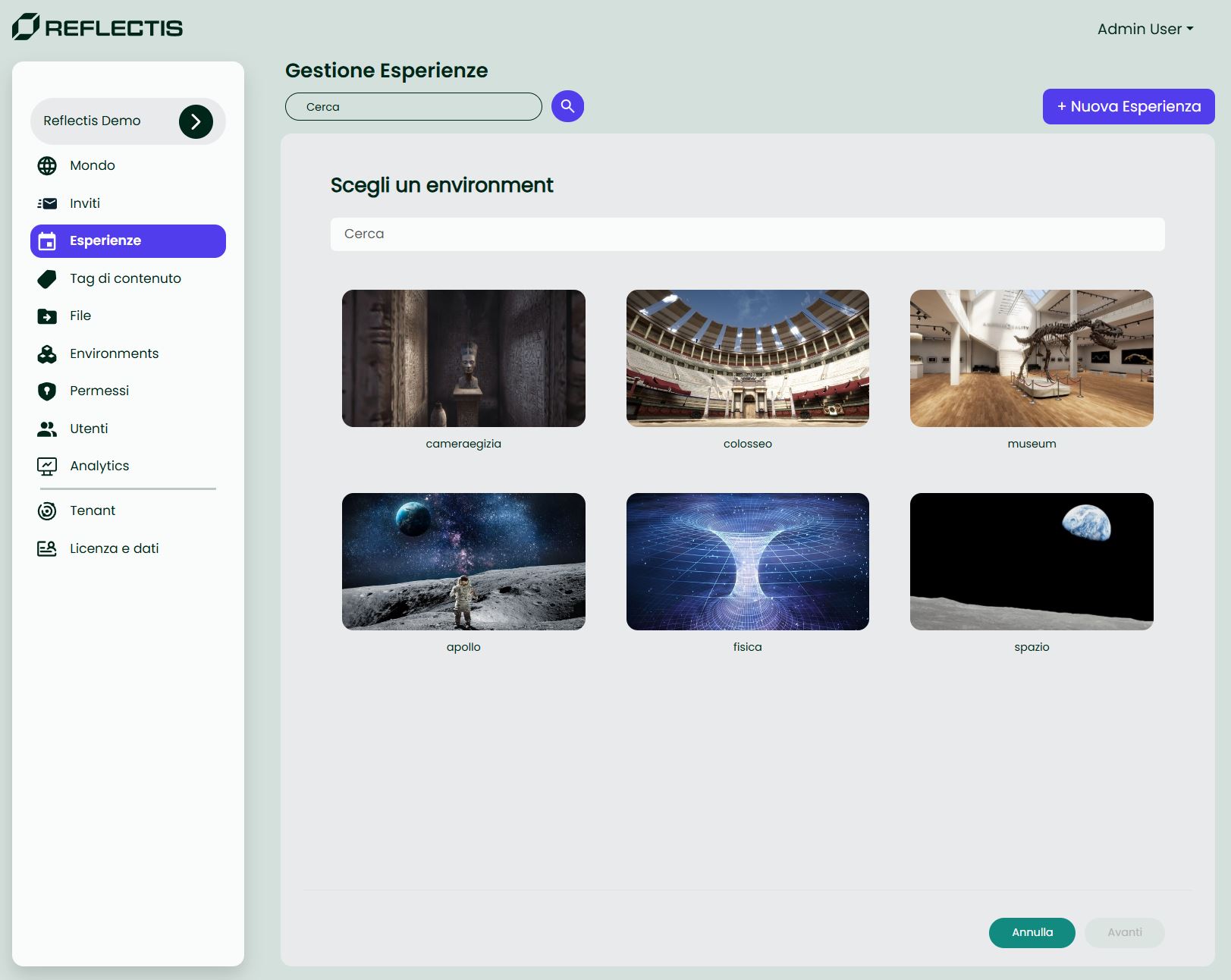
- Use the search field to locate the desired environment.
- Click a card to select it (the blue outline confirms selection).
- Press Avanti to continue.
2 · Configure the Experience
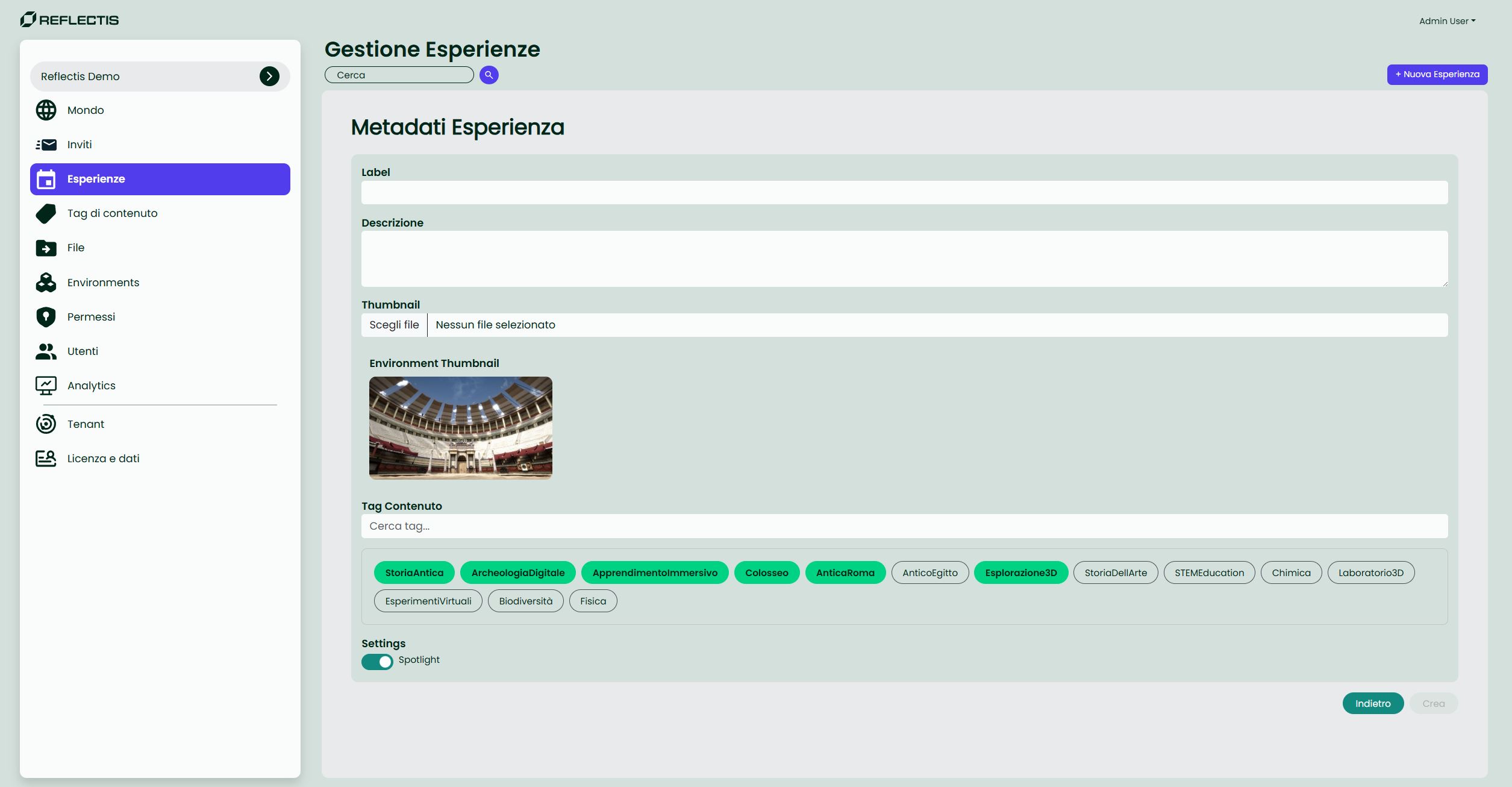
| Field | Description | Required |
|---|---|---|
| Label | Display name shown in the catalog. Pre-filled with the environment name but fully editable. | ✔ |
| Description | Short text that accompanies the experience in the catalog detail page (max 300 characters). | |
| Thumbnail | 16:9 cover image. Inherits the environment thumbnail by default; upload PNG/JPG to override. | ✔ |
| Tags | Free-form keywords that improve search and recommendation relevance. Separate with Enter. |
Action buttons
- Indietro — Return to the previous step.
- Crea — Save the experience. The new item appears in the list as a draft (not yet in catalog).
Draft vs Published
Draft experiences are visible only inside the Back Office and to users with the Author role. Enable the a catalogo switch in the list to publish them immediately.
Tip All catalog updates are live; once switched on, the experience is instantly available to end-users without extra deployment steps.