Experiences
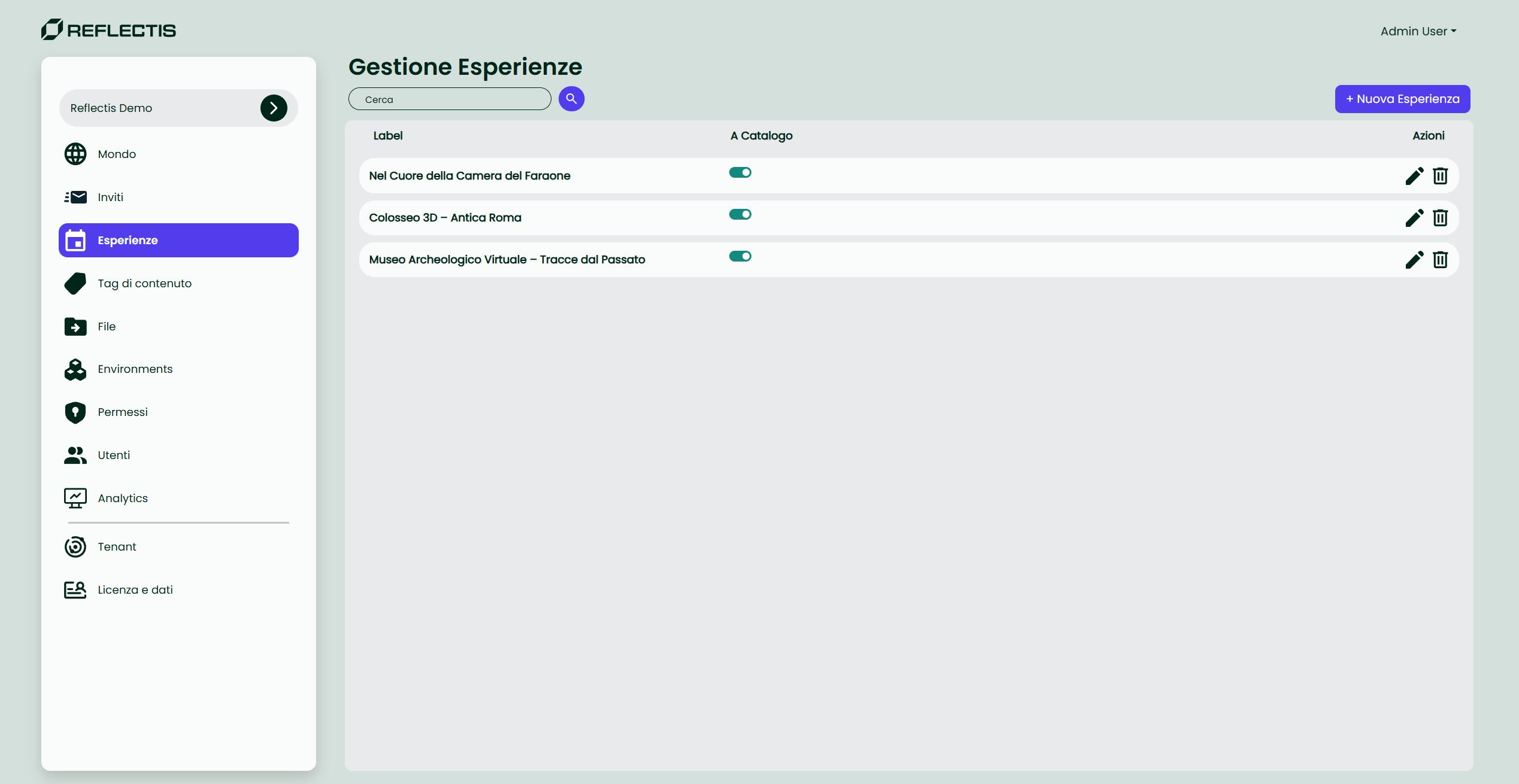
The "Experiences" page in the Back Office is the control centre for every interactive piece of content that can be surfaced in the public Catalogo. An Experience is always built on top of an existing Environment (a 3D scene) and can be further enriched with thumbnails, tags, and platform settings.
Important ▸ From the Back Office you can create Core Experiences only.
Authored Experiences are generated inside the Reflectis app (section Le mie esperienze) by duplicating or customising a core experience, and can be managed exclusively from the app; they do not appear in the Back Office.
List controls
| UI element | Purpose |
|---|---|
| Search bar | Filter the list by experience name. |
Catalog switch (a catalogo) | Publish / un-publish the experience to the end-user catalog. |
Edit  | Open the experience in edit mode. |
Delete  | Permanently remove the experience (Authored only). |
Click Crea esperienza (top right) to create a new Core Experience.