Back Office Access and Sidebar Configuration
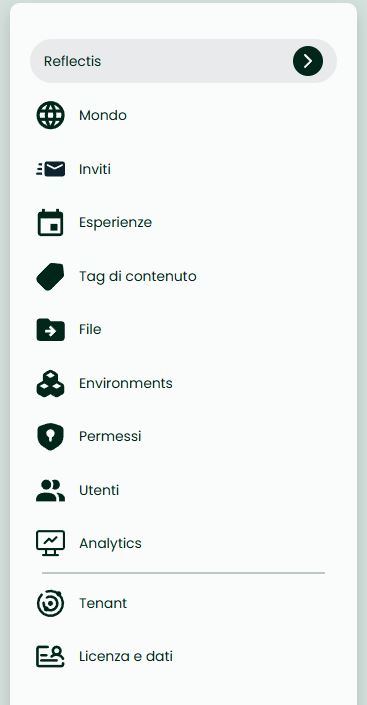
When a user logs into the Back Office, the sidebar dynamically adjusts based on the user's roles:
Tenant Manager Without Managerial Roles in Any World
If the user is a Tenant Manager but does not have managerial roles in any world, they will only see the last two links: Tenant and License and Data. In this case, the world selection dropdown (located at the top of the sidebar) will not be visible.
World Owner or User With Managerial Roles in One or More Worlds
If the user has managerial roles in only one world, that world will be selected by default in the sidebar. If the user has managerial roles in multiple worlds, one world will be selected by default, but the user can change the world context using the dropdown at the top of the sidebar.
This configuration ensures that the interface and management features are tailored to the user's roles and responsibilities, providing a streamlined and efficient user experience.
For more information about Role creation, management and assignment visit the Roles section.