Utility Nodes
These nodes provide various utility functions for common operations.
Flow Nodes
Input Action Reference Node
This single node allows to reference any button mapped in both VR controllers to work as triggers for the events associated through visual scripting.
This node becomes usable only after clicking on "Setup Visual Scripting Nodes" under the "Reflectis" option in the menu bar.
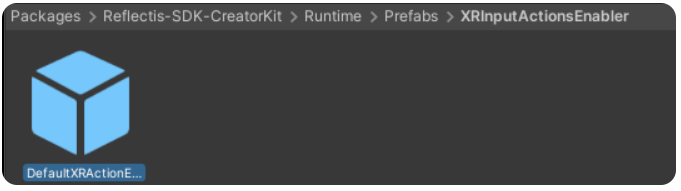
Next step is to Add the prefab called "DefaultXRActionEnabler", that you can find inside the Reflectis SDK Creator Kit package, to the scene.
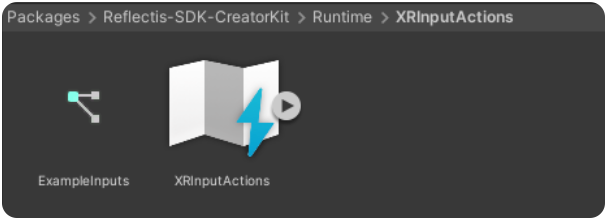

The list of the possible controller actions referenceable is the following:
| Left Controller | Right Controller |
|---|---|
| LeftController_PrimaryButton | RightController_PrimaryButton |
| LeftController_SecondaryButton | RightController_SecondaryButton |
| LeftController_GripButton | RightController_GripButton |
| LeftController_TriggerButton | RightController_TriggerButton |
| LeftController_AnalogicMove | RightController_AnalogicMove |
| LeftController_AnalogicTouch | RightController_AnalogicTouch |
| LeftController_AnalogicClick | RightController_AnalogicClick |
| LeftController_MenuButton | RightController_MenuButton |
Serialize (JSON) Node
🔍
Reflectis>Flow>Reflectis JSON: Serialize
This Node serializes an object to JSON string format.
-
⬇️ Input:
- ObjectToParse (
object), the object to serialize.
- ObjectToParse (
-
⬆️ Output:
- JSONString (
string), the resulting JSON string.
- JSONString (
Set sprite from URL Node
🔍
Reflectis>Flow>Reflectis image: Set sprite from URL
This Node downloads an image from a URL and applies it to a UI Image component. This is an awaitable node.
- ⬇️ Input:
- ImageURL (
string), the URL of the image to download - ImageValue (
Image), reference to the UI Image component to update.
- ImageURL (
Initialize Placeholder Node
🔍
Reflectis>Flow>Reflectis Placeholder: Initialize Placeholder
This Node initializes placeholders on a target GameObject, triggering their setup logic.
- ⬇️ Input:
- Target (
GameObject), reference to the GameObject containing the placeholders. If left empty, it defaults to the current GameObject - PlaceholdersInChildren (
bool), a boolean that determines whether to also initialize placeholders in child GameObjects (default:false).
- Target (
EnableSync (Transform) Node
🔍
Reflectis>Flow>Reflectis Transform: EnableSync
This Node enables or disables transform synchronization on a networked object.
- ⬇️ Input:
- Target (
Transform), the Transform to enable/disable synchronization on. If left empty, it defaults to the current Transform - Enable (
bool), a boolean that determines whether to enable (true) or disable (false) synchronization.
- Target (
Set default settings Node
🔍
Reflectis>Flow>Reflectis Settings: Set default settings
This Node resets settings to their default values.
Do Transition Node
🔍
Reflectis>Flow>Reflectis Transition Provider: Do Transition
This Node triggers a visual transition on a GameObject using its Transition Provider component.
- ⬇️ Input:
- Enter (
bool), a boolean that determines whether to execute the enter (true) or exit (false) transition - GameobjectVal (
GameObject), reference to the GameObject with the Transition Provider. If left empty, it defaults to the current GameObject.
- Enter (