Experiences
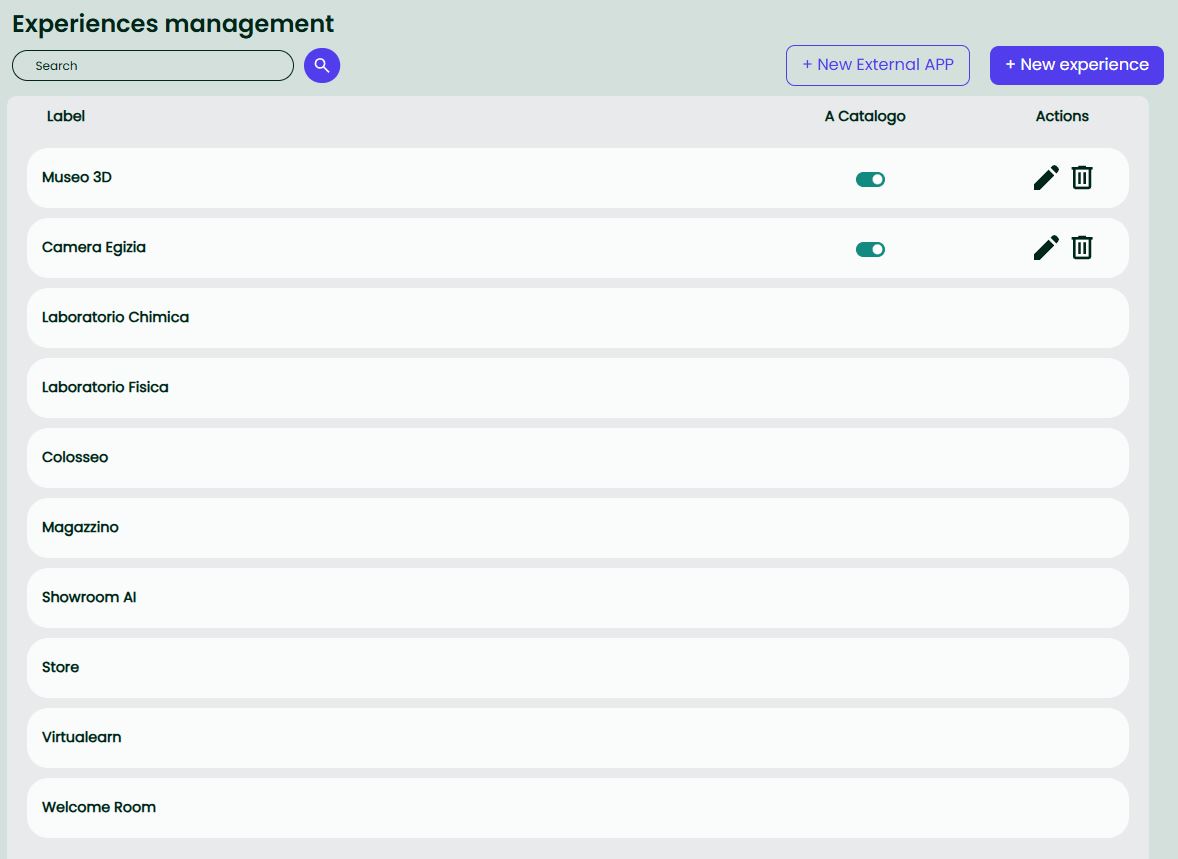
The Experiences page in the Back Office is the control center for everything that can appear in the public Catalog.
There are two item types:
- Core Experience — built on top of an existing Environment (3D scene) and enriched with thumbnail and Content Tags.
- External App — listed like an experience in the Catalog, but it launches an external application (web/deeplink) and the user is logged in automatically.
Important ▸ From the Back Office you can create Core Experiences and External Apps.
Authored Experiences are created inside the Reflectis app (Le mie esperienze) by duplicating/customising a core one; they are managed in-app and do not appear in the Back Office.
How World Mode affects Experiences
World Mode is configured by the Tenant Manager in Tenant → Mondi → Configurazioni e Limiti.
It changes how end-users enter the world and how Experiences are surfaced.
Catalogo (default)
- Users land on the Catalog and can browse cards, open discover overlays, and filter (including the External Apps filter).
- Publishing/unpublishing from Back Office is controlled by the
a catalogoswitch on each item. - Spotlight (if enabled on the item) allows it to appear in the Catalog hero carousel.
Play
- The world exposes a single Play entry that launches a Default Experience.
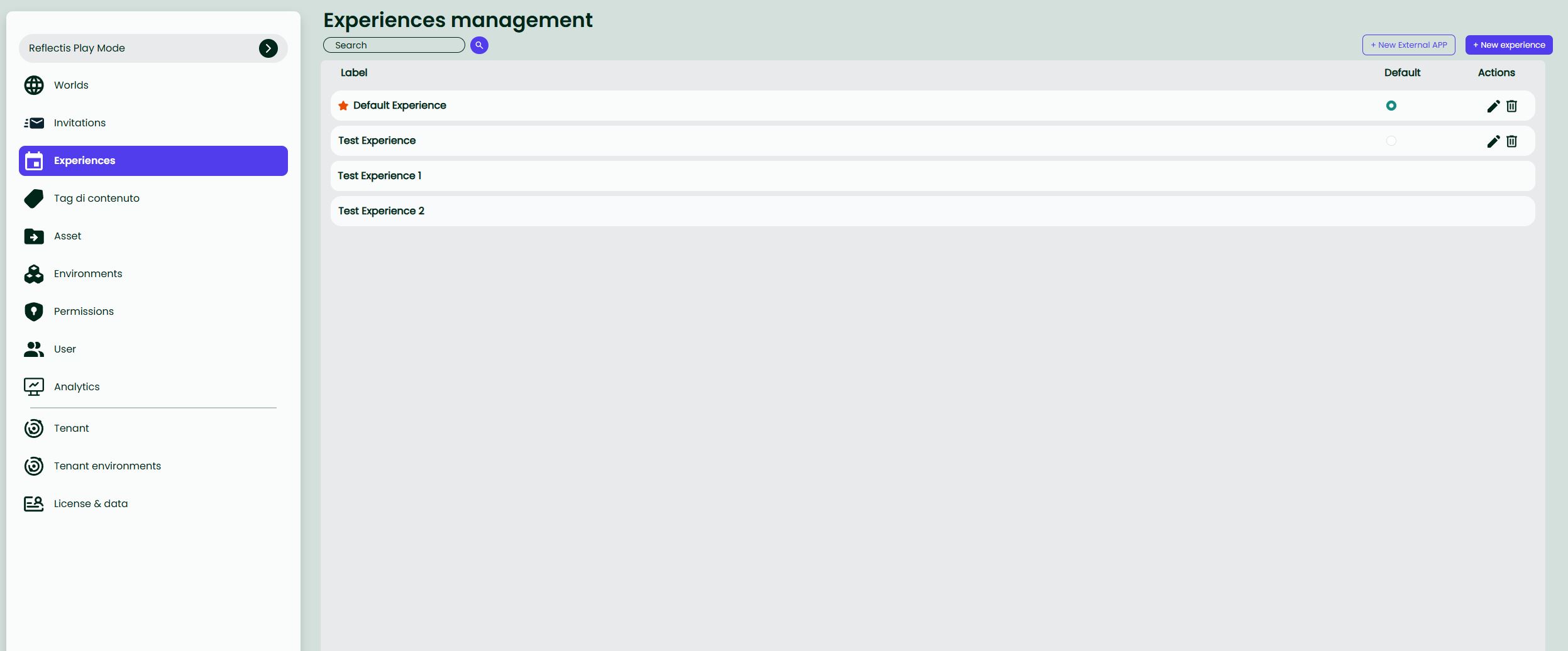
- You must select one item in the list as Default — Core Experience only (External Apps cannot be selected as default).
Set the Default Experience
- Open Back Office → Esperienze for the world.
- In the Default column, select the radio next to the desired item (the star highlights the current default).
- The change is immediate: the landing page in Play mode shows a Play button that launches this Core Experience.
Rules & notes
- One default at a time per world; selecting a new one replaces the previous choice.
- External Apps cannot be set as the Default Experience in Play mode.
- If you delete/unpublish the current default, Play cannot start. Set a new default before removing the existing one.
List controls
| UI element | Purpose |
|---|---|
| Search bar | Filter the list by experience name. |
Catalog switch (a catalogo) | Publish / unpublish the item to the end-user Catalog. |
Edit  | Open the item in edit mode. |
Delete  | Permanently remove the item. |
Note World Owners can edit any Experience in their World, regardless of who originally created it (cross-owner editing enabled since version 2025.6).
Click + New Experience (top-right) to add a Core Experience and + External APP an External App.