Addressable setup
If the project setup has been successful, the new project will already have the addressables package system installed.
Now we need to configure addressables, which will be used for uploading environments to the online platform.
Groups configuration
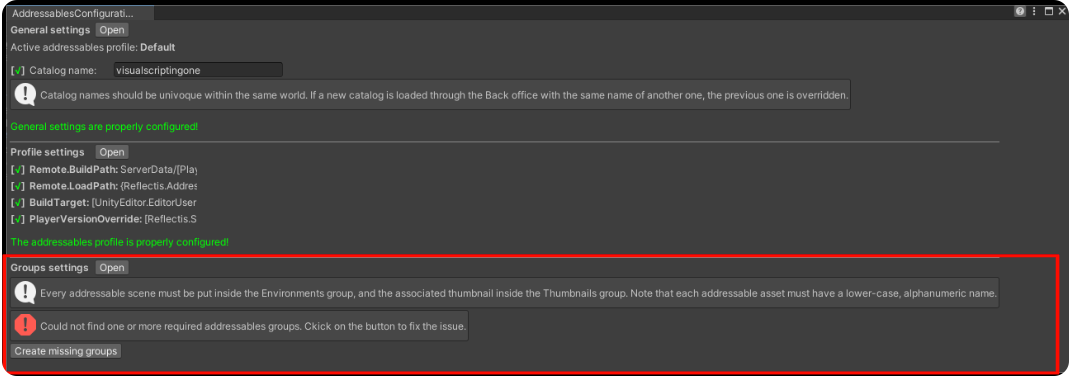
You can easily create addressable groups going to "Reflectis" on the top bar and then click on "Configure and build Addressables".

In the panel below, click on "Create missing groups" to create "Environments" and "Thumbnails" groups.
It’s also necessary to setup a specific Player Version Override, the name of the catalog that will contain the environment addressables.
It can easily be done from the addressables configurator in the designated space:
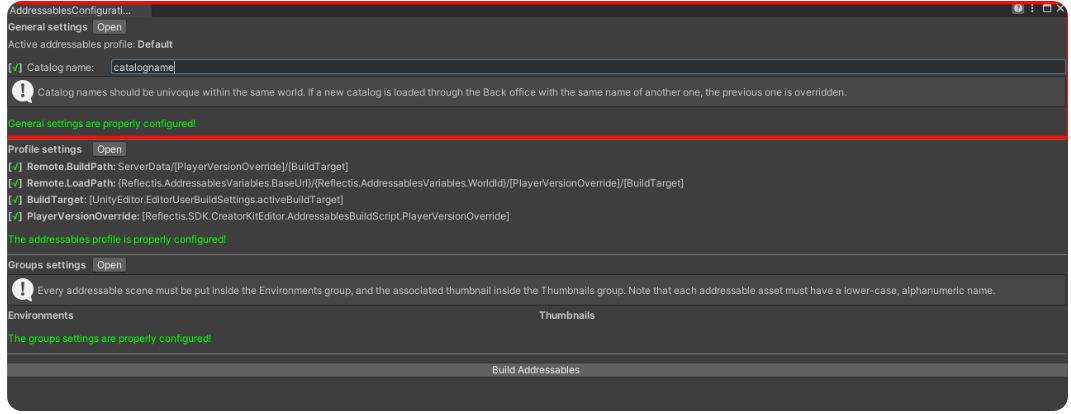
Don't use numbers or special characters in "Player Version Override" parameter.
Profiles configuration
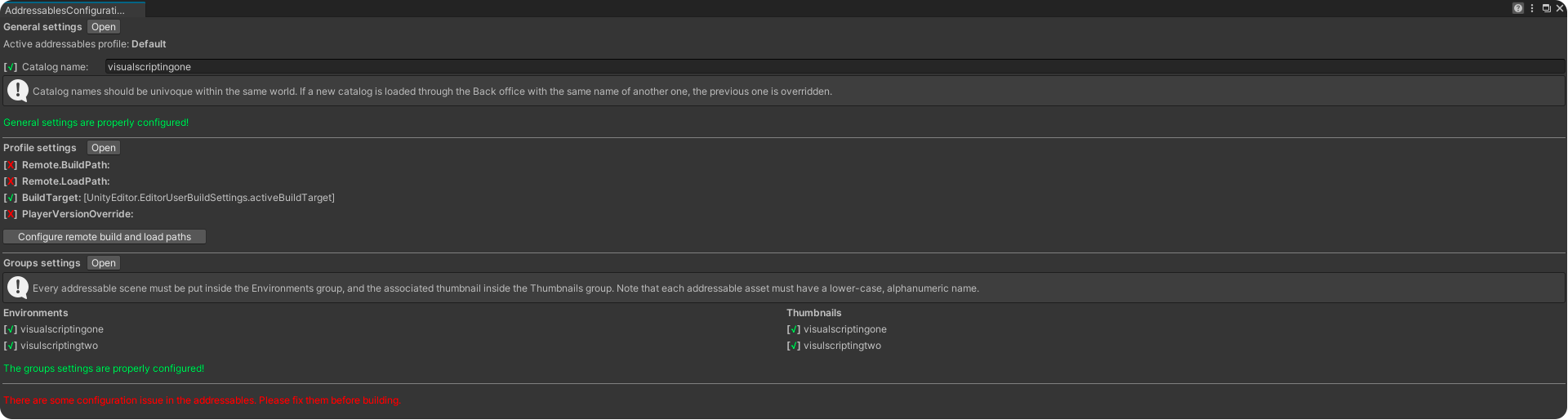
To configure the profiles of addressables, must to go to "Reflectis" on the top bar and then click on "Configure and build Addressables".
In the panel below, click on "Configure remote build and load paths" to fix the red crosses.
Convert scenes/images into addressables
The basic addressables needed to upload an environment are as follows:
-
Scene addressable
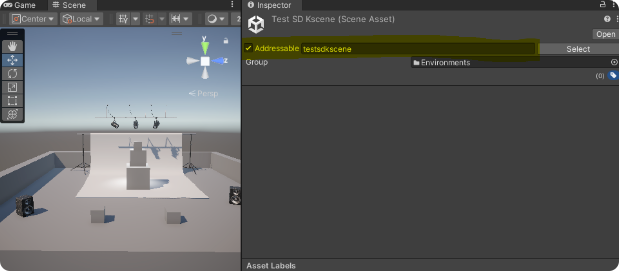
Select the scene file in the Asset folder → Scenes. Check “Addressable” on the inspector and set a name for it. The name will be the same displayed on the environment selection list.
WarningDon't use spaces or special characters in "Addressables" parameter.
-
Thumbnails addressable
Select an image file from the Asset folder → Images (or Thumbnail). This image will be the thumbnail image for the uploaded environment.
Set the Texture type to Sprite (2D and UI) and apply it, then check the Addressable box.
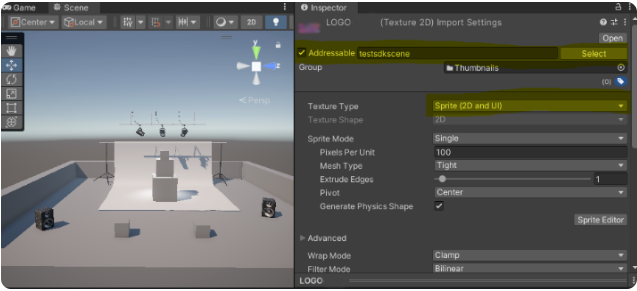
Finally open the "Addressable Groups" window and organize the files in the following way:
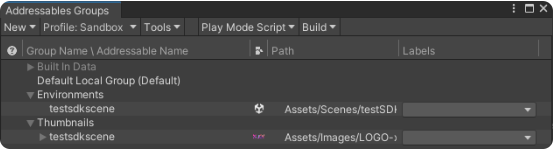
The scene addressable must be dragged into the "Environments group" and renamed if necessary.
The image addressable must be dragged into the "Thumbnails group" and named the same as the scene addressable.
Specific elements needed to build the online environment are collected inside Built in Data. Among these files is noteworthy to mention the "Shaders" folder, essential for the environment to work.
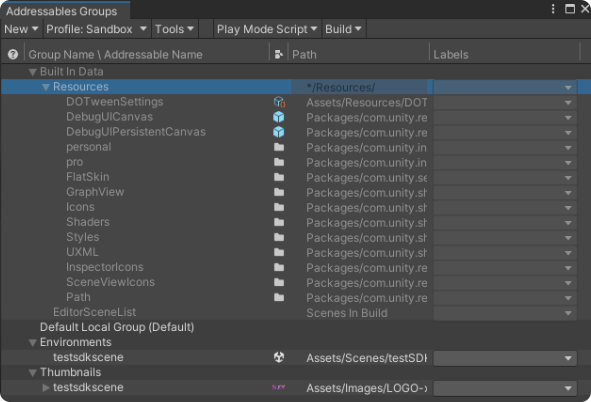
The configuration of addressables is complete now, and you can proceed to scene setup!
Add a localization file to the environment
From the 2024.5 version it's possible to add a .CSV file to the addressables that will allow every written element of the environment to switch to the language set by the user (Italian and English for now).
