Scene setup
Setting up the initial scene is fairly straightforward.
There are a limited number of assets that need to be present in the scene to be able to make it usable and publishable.
The folder that contains the Creator Kit content is Packages → Reflectis-SDK-CreatorKit → Runtime.
Placeholders
The components that are needed to setup the scene are:
-
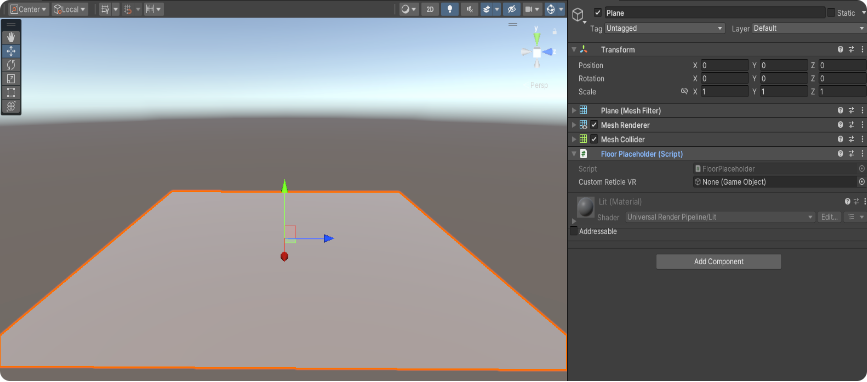
FloorPlaceholder(Floor Placeholder script)It's mandatory that an item identifiable as Floor on the scene has the "Floor Placeholder" script .
The script allows VR users to be able to teleport around since the teleport activates only over items having the "Floor placeholder" script component.
-
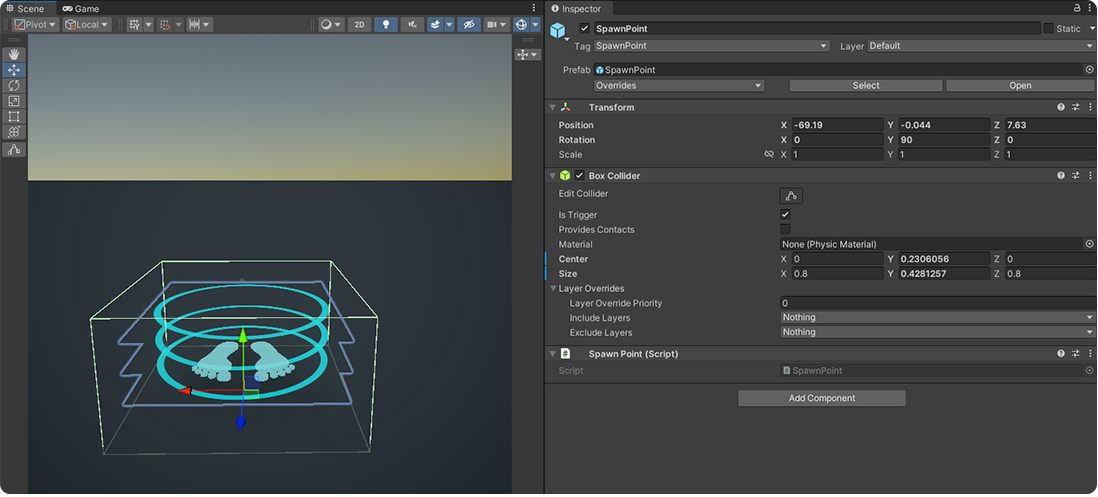
SpawnerPlaceholder(Spawn Point script)This prefab doesn’t have an essential function, because the absence of spawn points in the scene will cause players to appear at coordinates (0, 0, 0) .
The Spawn Point allows the creator to freely choose the position and orientation of avatars, when they enter the scene, if the "SpawnerPlaceholder" script is attached to it.
You need to make sure that within the scenes there is no GameObject with the Camera component, which has the tag "MainCamera". Then other "Camera" components can coexist, but they must have a different tag.
What to prevent it from interfering with the controls used within the standard Reflectis.
Localization
Creators can add a localization file that allows all the Text elements in the environment to switch between the languages of the Reflectis Platform.
Check the