Unity setup
First of all, you have to install Unity (version 6000.2.9f1) to be able to test in your sandbox space.
If you don't have the Unity Hub installed yet, you need to install it first (download here).
Once you have Unity Hub, you can install Unity 6000.2.9f1:
-
Go to this page (tab "Unity 6")
-
Click the "INSTALL →" button next to 6000.2.9f1 in the column "Hub installation"
-
You have to select these modules to install:
- Android Build Support - to compile a build for VR headset
- WebGL Build Support - to compile a build for browser
- Windows Build Support - recommended, especially in the case of support from AnotheReality.
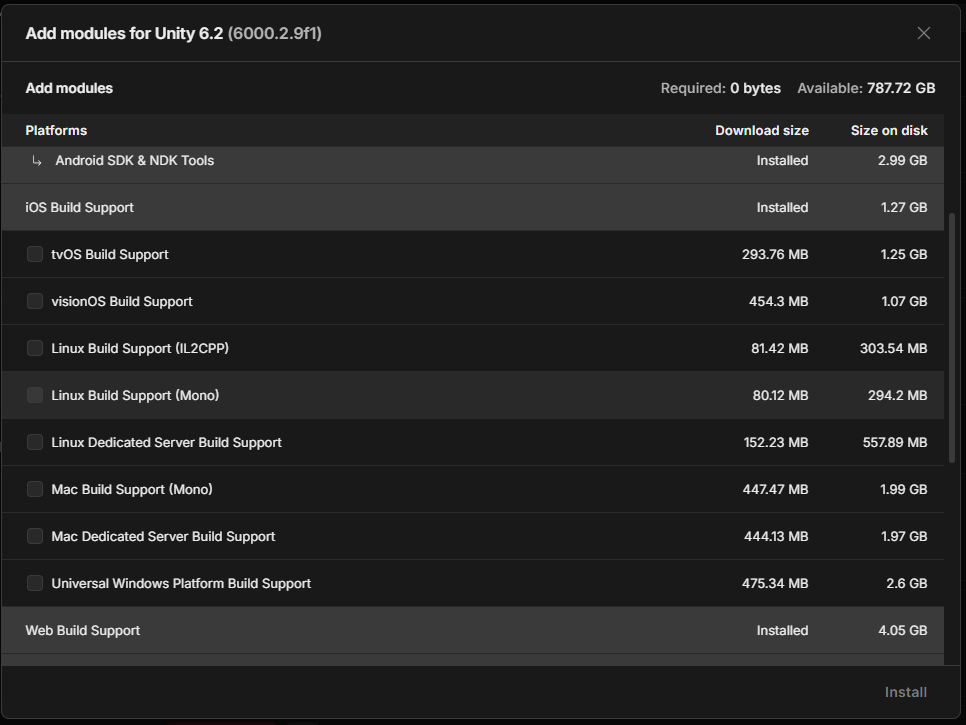
If you install the modules later, you need to build the addressables again for generating the relevant folders.
Configuration
Open Unity Hub and create a new Unity project with the Universal 3D template.
This template is based on the Universal Render Pipeline (URP).
It's mandatory to create a project based on URP, otherwise it can't be compiled correctly and display the graphic assets.
Now you can install the Creator Kit Setup Package.