Creator Kit setup
-
Import the Creator Kit Setup Package from this link using the package manager, selecting the "Add package from git URL" option:
-
Select Reflectis Worlds > Creator Kit > Setup > Setup project from the menu bar.

-
From this window you can configure the project to ensure that its settings are compatible with Reflectis Worlds. In addition, you can install the necessary packages to use the Creator Kit according to your own needs. Usually, you need to install the package "CreatorKit Core" module, to have the minimum of tools needed to build scenes.
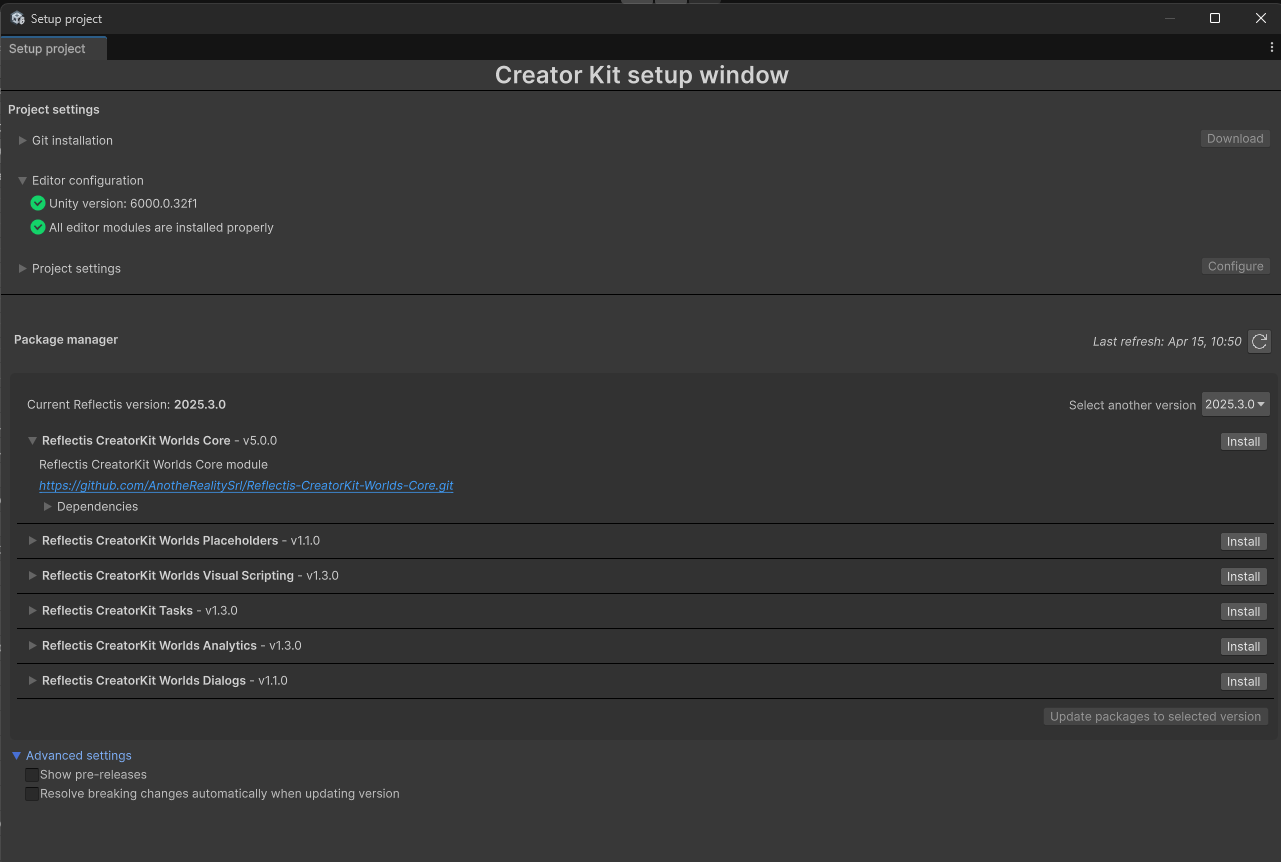 (Screenshot for illustrative purposes. Actual version details may vary.)
Once you have installed the necessary packages you can start using the Reflectis SDK.
Import 3D elements into the scene and give them new logic!