Build the Environment
When the scene is completed it needs to be built. The build is made via Addressable Assets.
Remember to setup your project first!
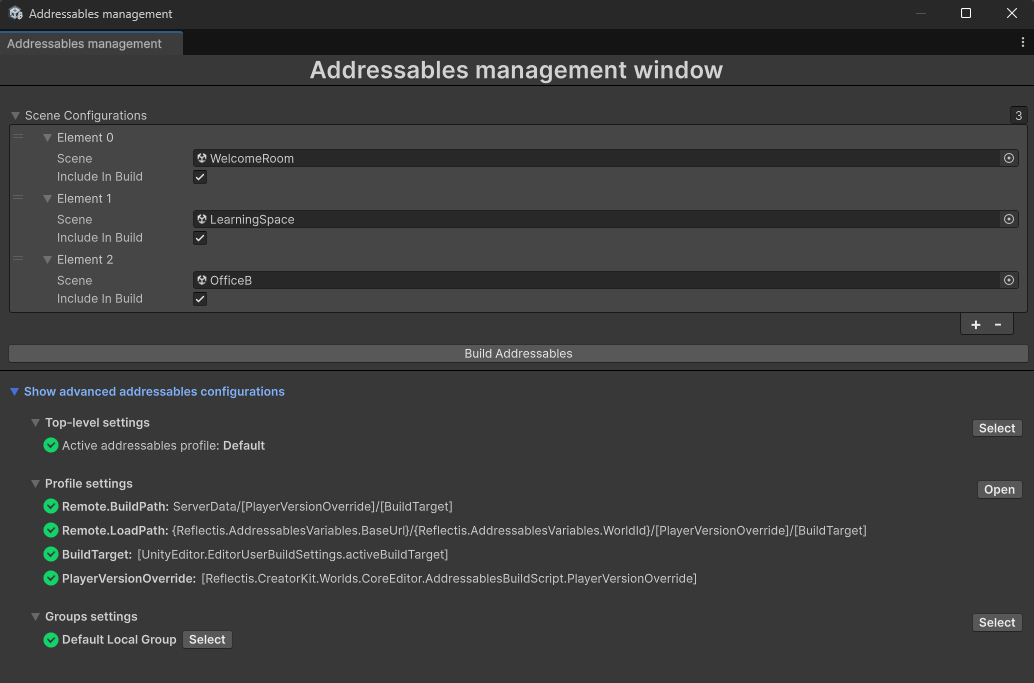
You have to click on "Reflectis Worlds" on the top bar and then click on "Creator Kit > Code > Addressables management".

Then, click on "Build Addressables" in this panel:
Manage configuration errors
The configurator itself will warn you of any errors, such as incorrect project settings that have not been configured yet.
In case there are any errors, you can see the "Fix Addressables configurations" button instead of the "Build Addressables" one.
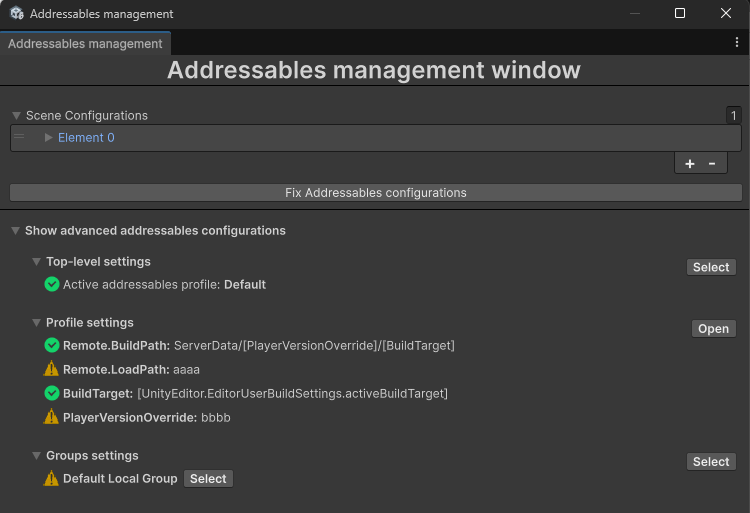
In this case you will have to click that button, then the configuration will be fixed and the "Build addressables" button comes back. Click it to complete the build. From this point it's possible to publish the environment inside the platform by following the instructions in the publish the Environment section.