Point Of Interest
The Points of Interest are multimedial panels that allow you to show different kinds of content, based on your necessity.
The Creator Kit provides several pre-configured templates.
If you want to edit them, or simply you need your new configuration from scratch, you will be able to edit your instance as you wish.
Templates
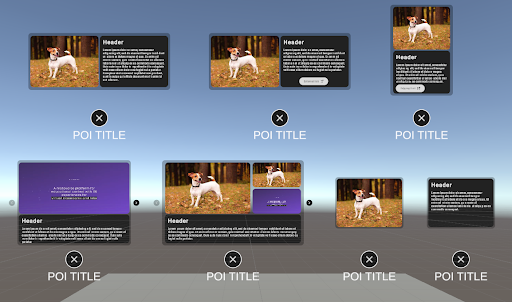
You can find a vast array of templates of different panels, with very auto-explanatory names, draggable and ready to customize.
- POIImage
- POIImageMultiple+TextVertical
- POIImageSingle+TextVertical
- POIImageTextHorizontal
- POIImageTextWLinkHorizontal
- POIImageTextWLinkVertical
- POITextLink
Drag them to the scene and modify the information as needed.
Base functionality
POIPlaceholder
The POIPlaceholder is a draggable prefab that contains the basic structure of the POI. From this base is possible to customize the information shown by adding POIBlocks to the structure from the hierarchy.
From the Prefab inspector it's possible to modify the initial composition by adding the POI's title, the panel's background and the size of the panels.
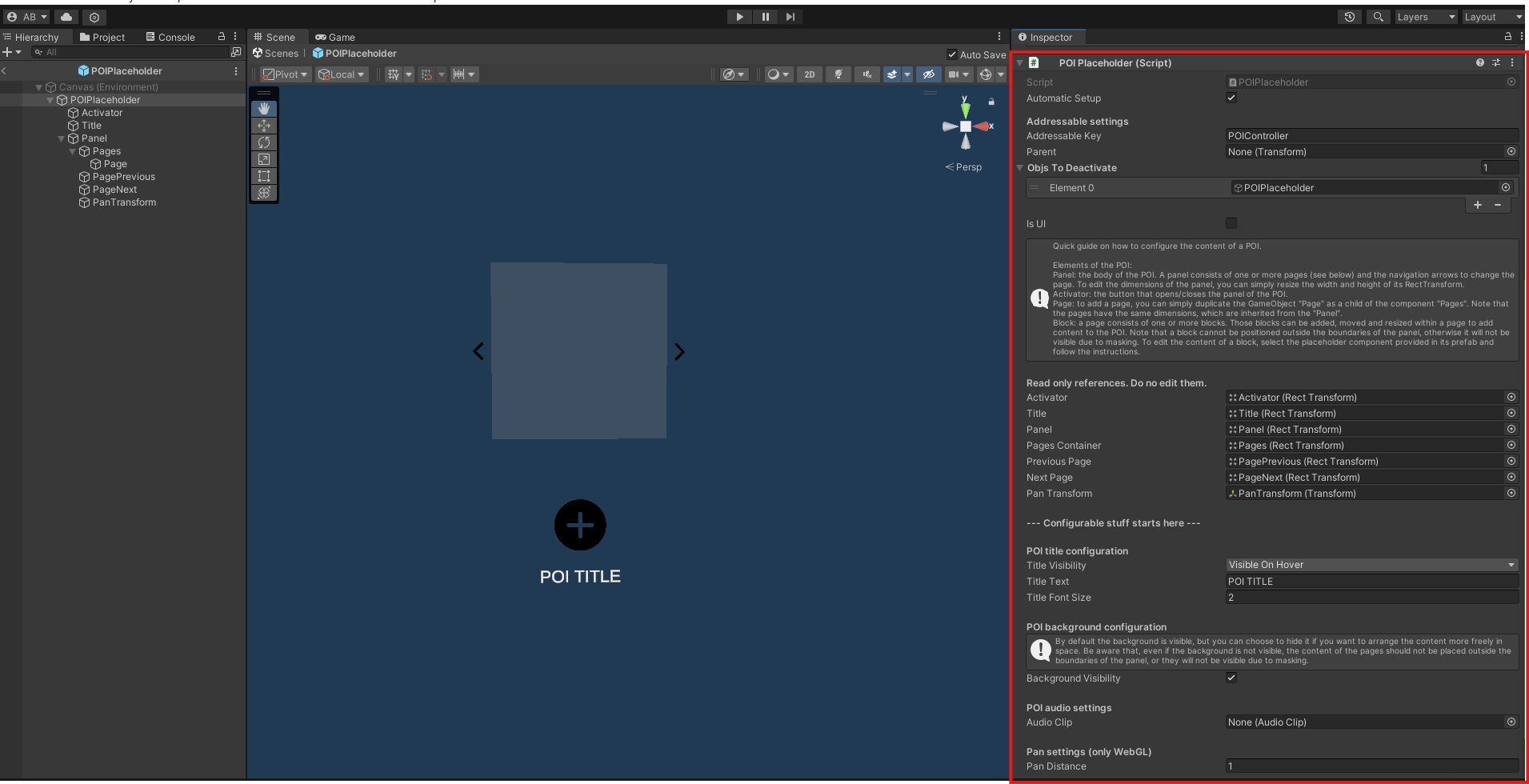
Each field of the POIPlaceholder inspector has tips on how to better manage each section. follow the instructions to obtain the best result.
Customization
The Point of Interest is an interactable object that can show different pages of information and content, created and customized by the creators. The POIs can be customized from scratch by attaching and/or removing different POIBlocks to the Pages component.
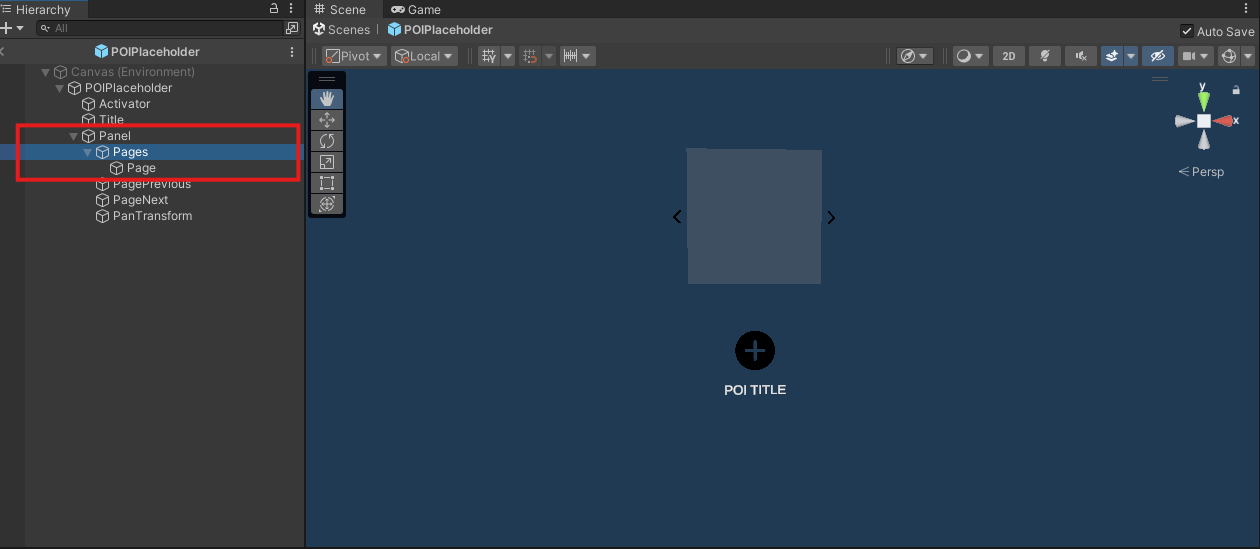
POIBlock are available in the subfolder "POIBlock".
Each POIBlock can show different content depending on the necessity. The POIBlocks available are the following:
- POILinkPlaceholder: allows to attach a clickable external link (works only for WEBGL client)
- POIMediaPlaceholder: allows to attach a video and thumbnail or an image inside a page of the POI.
- POITextPlaceholder: allows to attach a customizable text box.
Each POIBlock will become a panel when attached to the POI prefab. Each panel can be moved and scaled to allow the creators to better compose the information inside the POI.
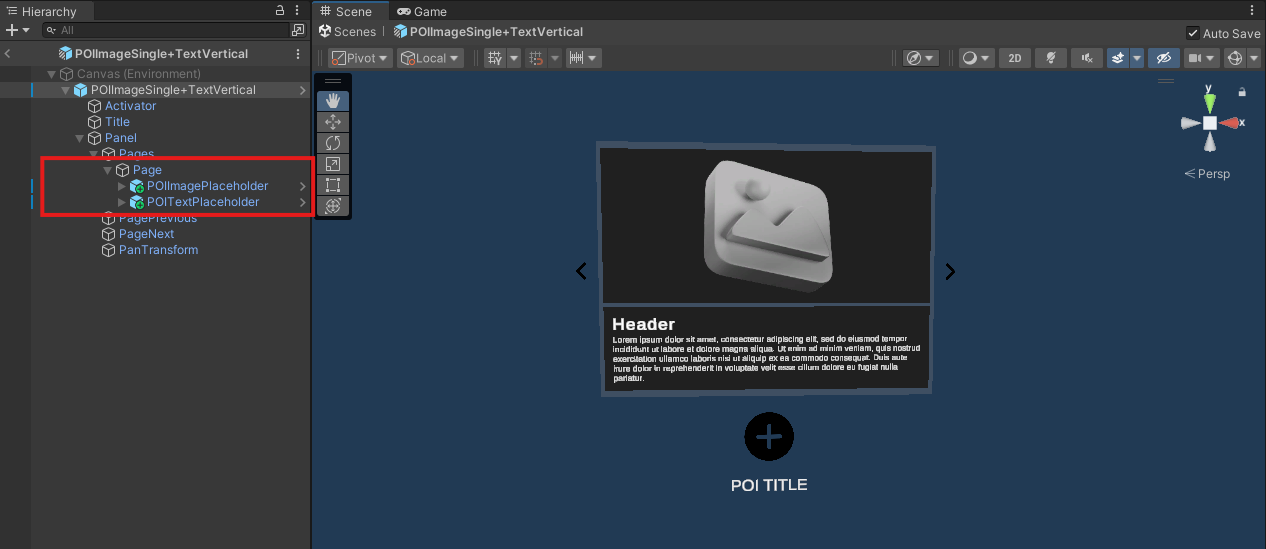
Creators are free to create and organize the content as they want to obtain different compositions depending on their necessities.