Dashboard
EnvironmentalDashboardPlaceholder
The Dashboard is used to display the list of events, with the categories and details of each one.
It's recommended to use the EnvironmentalDashboardPlaceholder prefab inside the Creator Kit Package:
Packages > Reflectis-CreatorKit-Worlds-Placeholders > Runtime > Prefabs > Dashboard
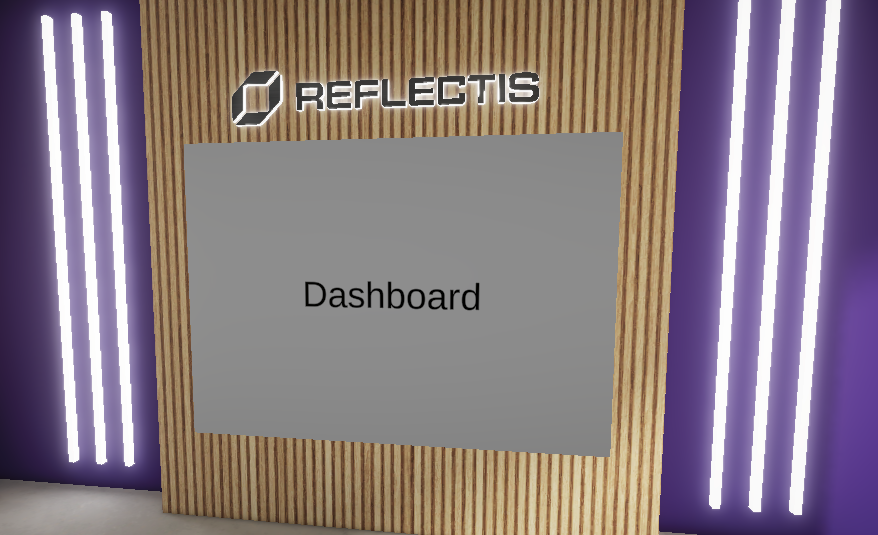
The prefab has this "Dashboard Placeholder" component:
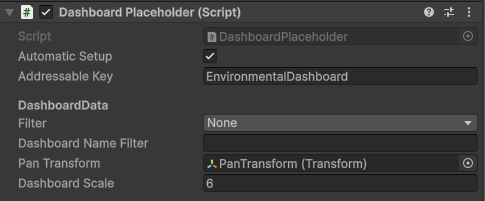
The fields Automatic Setup and Addressable Key are not to be edited to guarantee the correct behaviour of the Placeholder.
Customize the Dashboard
Under the "DashboardData" section, you will see different parameters:
"Filter" and "Dashboard Name Filter"
"Filter" parameter is a selectionable list based on what you want to display on the Dashboard:
-
Environment: you may want to choose it if you want to filter Experiences based on the related Environment. In this case, you need to fill the "Dashboard Name Filter" parameter with the name of the Environment you need. If you don't know the name and you can't access the Back Office, ask to the Owner of the World!
-
Tags: if the World has a lot of Experiences that are organized with filter tags, you may want to use one of the tag names as a filter for your Dashboard. Fill the "Dashboard Name Filter" parameter with the text of the tag that you want use as a filter!
-
NoFilter & None: all the available Experience are shown.
"Pan Transform"
The Transform of the GameObject used as destination of the Camera when interacting with the Dashboard. You would like to move it to center the frame.
"Dashboard Scale"
It's used to control the size of the Dashboard. Change the value to see a preview of the final size of the Dashboard in your Environment.