Interactable
Prefab and Components
Interactable
The Prefab is a primitive cube with interaction components.
You can drag it into your scene, remove its Mesh Renderer and add your 3D model as a child.
We suggest to keep the Box Collider component and resize it in the component itself (not Transform scale) in order to fit to your needs and keep the standard behaviour.
If you want to remove it and refer to your the Collider on your child asset, remember to reference it in the Interactable Placeholder > Interaction Colliders list.
"Interactable Placeholder" component
This component is the one that makes the GameObject interactable and provides some interaction behaviours. This script is required by the other interaction behaviours to work properly.
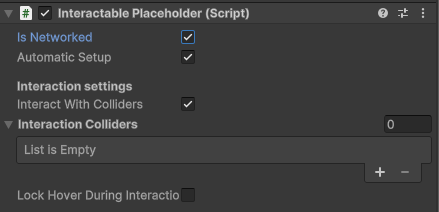
Select the IsNetworked toggle if you want the behaviours of this interactable to be networked among all users. Unless you need to have a specific need of initializing the interactable with visual scripting, please keep the AutomaticSetup flag toggled.
For other interaction settings, refer to the tooltips of the scripts itself.
"Contextual Menu Placeholder" component
Script that enables the features of the contextual menu on it. The supported options are:
- Lock Transform
- Duplicate
- Delete
- Color Picker
- Explodable
- Non Proportional Scale
- Edit
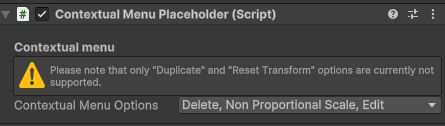
This script requires another script (the InteractablePlaceholder) to be attached to the same GameObject.
If not already on the object, it will be added automatically.
"Manipulable Placeholder" component
Needed to perform actions such as translation, rotation and scale on the object.
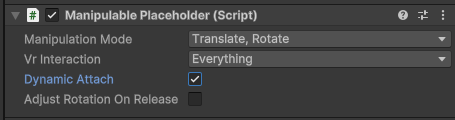
For more information, refer to the tooltips provided in the script itself.
"Visual Scripting Interactable Placeholder" component
This script enables the execution of a visual scripting graph upon user interaction.
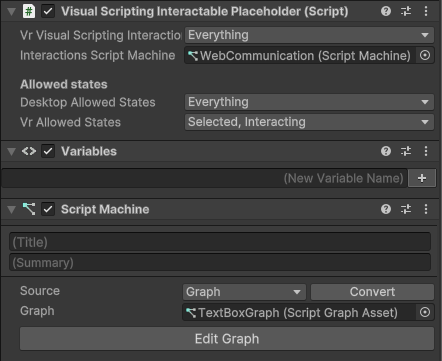
Three states of interaction are defined:
- Hovered: when a user hovers the object with mouse/VR ray interactors.
- Selected: it means the object has been triggered and maintains a selection (like a toggle).
- Interacting: it means the object has been triggered but does not maintain a selection (like a button).
Note that "selection" and "interaction" are not mutually exclusive: an object can support both states. In that case, selection is required before performing interaction, i.e. the first action puts the object in Selected state, the second in Interacting state.
For more information, refer to the tooltips provided in the script.
Single Platform usage
InteractableVR and InteractableWeb are two variants of this prefab that are specialized to be used in a single platform.
Please refer to the Environments section in the Back Office documentation to see how to set up an Environment for a single or multiple platform usage.