Environments
The Environments section lists every 3D scene that creators can turn into Core Experiences.
Flat list — environments are no longer grouped by their original catalog ZIP; each scene appears as a single, independent entry.
Taggable — you can attach one or more Content Tags to an environment to improve search, filtering and recommendations.
Incomplete alert — if an environment has no thumbnail it shows a red Incompleto badge. Adding a cover image is strongly recommended because thumbnails are used throughout the Experience-creation wizard.
Tenant scope — when the Tenant Manager shares Tenant Environments with your world, they also appear in this list. They are usable to create Core Experiences, but read-only (you cannot edit or delete them here).
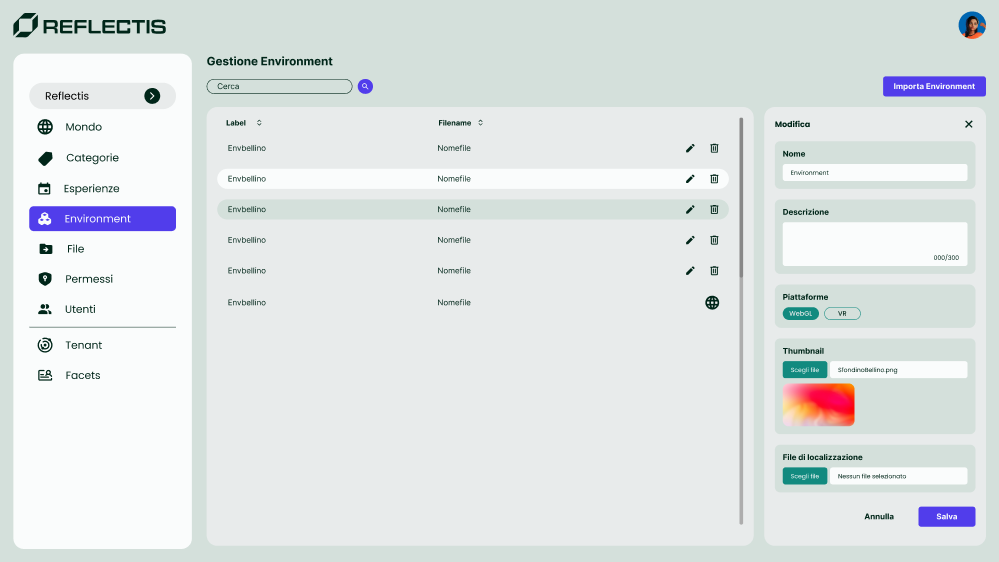
List controls
| UI element | Purpose |
|---|---|
| Search bar | Filter environments by name or tag. |
| Importa Environment | Import a new world-scoped environment from storage. (Tenant Environments are managed only by the Tenant Manager.) |
Edit  | Modify name, description, platforms, tags or thumbnail. (Disabled for Tenant Environments.) |
Delete  | Permanently remove the environment. (Not available for Tenant Environments.) |
| Incompleto badge | Highlights entries without a thumbnail. |
Tenant Environments in this list
- Shown when the Tenant Manager shares them with your world (see Env di Tenant).
- Read-only: World Owners cannot change name, description, platforms, tags, thumbnail or delete them.
- Usable: you can select them in the Create Experience → Select Environment step to build new Core Experiences.
- Un-sharing by the Tenant Manager does not remove experiences already created in your world; it simply prevents creating new ones based on that environment.
Importing an environment
- Click Importa Environment (top right).
- In the side panel, choose a ZIP that was previously uploaded via Azure Storage Explorer.
- Click Importa. The scene appears in the list immediately.
Editing a (world-scoped) environment
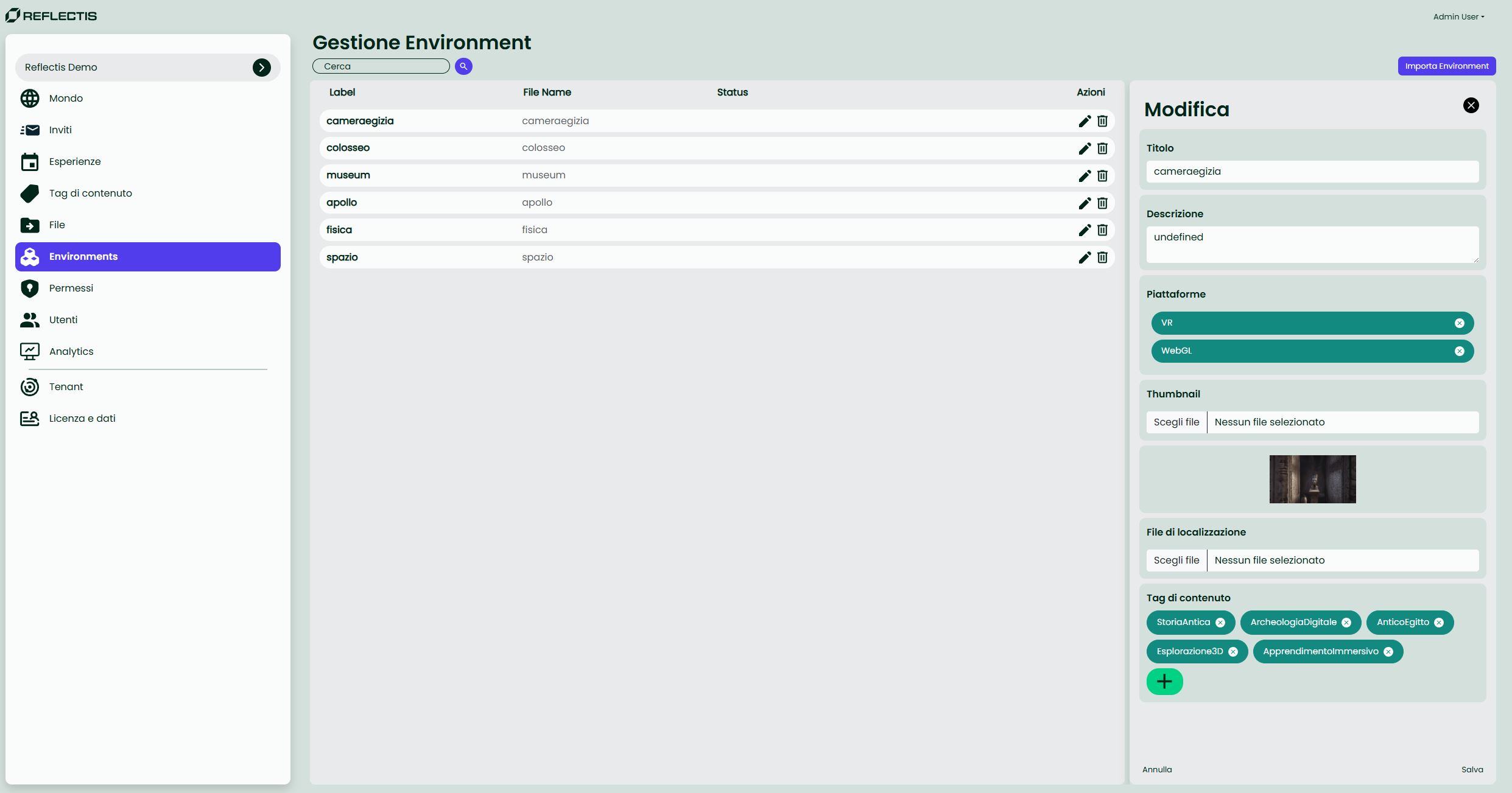
| Field | Description |
|---|---|
| Name | Display name shown in all selection menus. |
| Description | Optional, up to 250 characters. |
| Platforms | Flag as VR, WebGL or Both. |
| Thumbnail | 16:9 PNG/JPG. Mandatory for a “Complete” status. |
| Tags | Attach Content Tags for better discovery. |
| CSV for Translations | Optional localisation file. |
Click Salva to apply changes or Annulla to discard.