Profile Page
The Profile Page allows users to view and manage their personal information, avatar, and platform activity. Below are the key features:
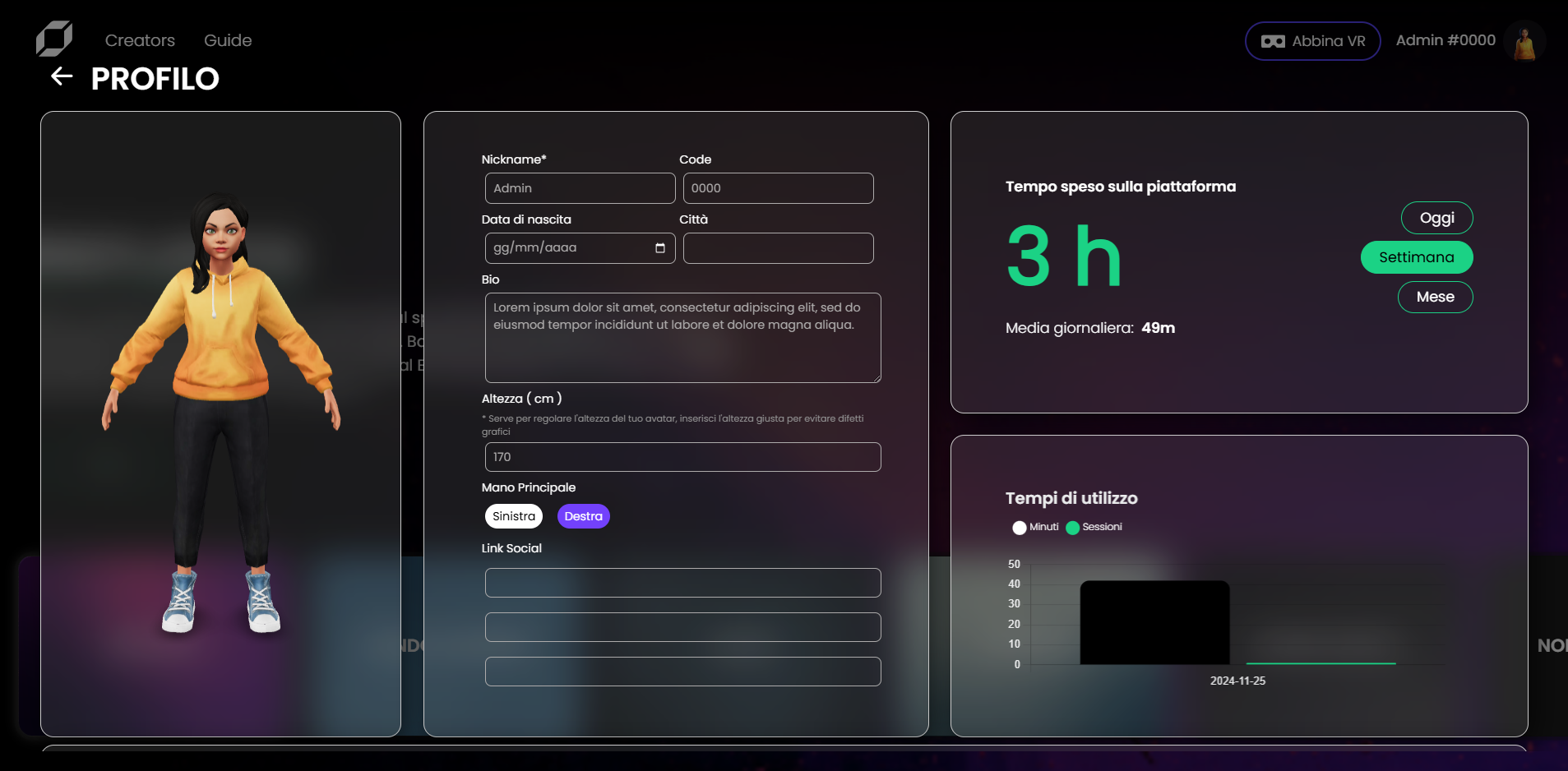
- Avatar Management
- A 3D model of the user's avatar is displayed on the left side of the screen.
- Clicking on the avatar opens the Ready Player Me overlay, enabling the user to customize or change their avatar.
- User Information Form
- Displays and allows editing of user details, including:
- Nickname
- Date of Birth
- City
- Biography
- Height (cm): Adjust the avatar's proportions to avoid graphical inconsistencies.
- Primary Hand: Specify left or right hand dominance.
- Social Media Links
- Displays and allows editing of user details, including:
- Platform Usage Analytics
-
Displays the total time spent on the platform, broken down by: today, this week, this month
-
Shows daily averages and visualizes activity through charts for minutes and session counts.
-
- Experience Table
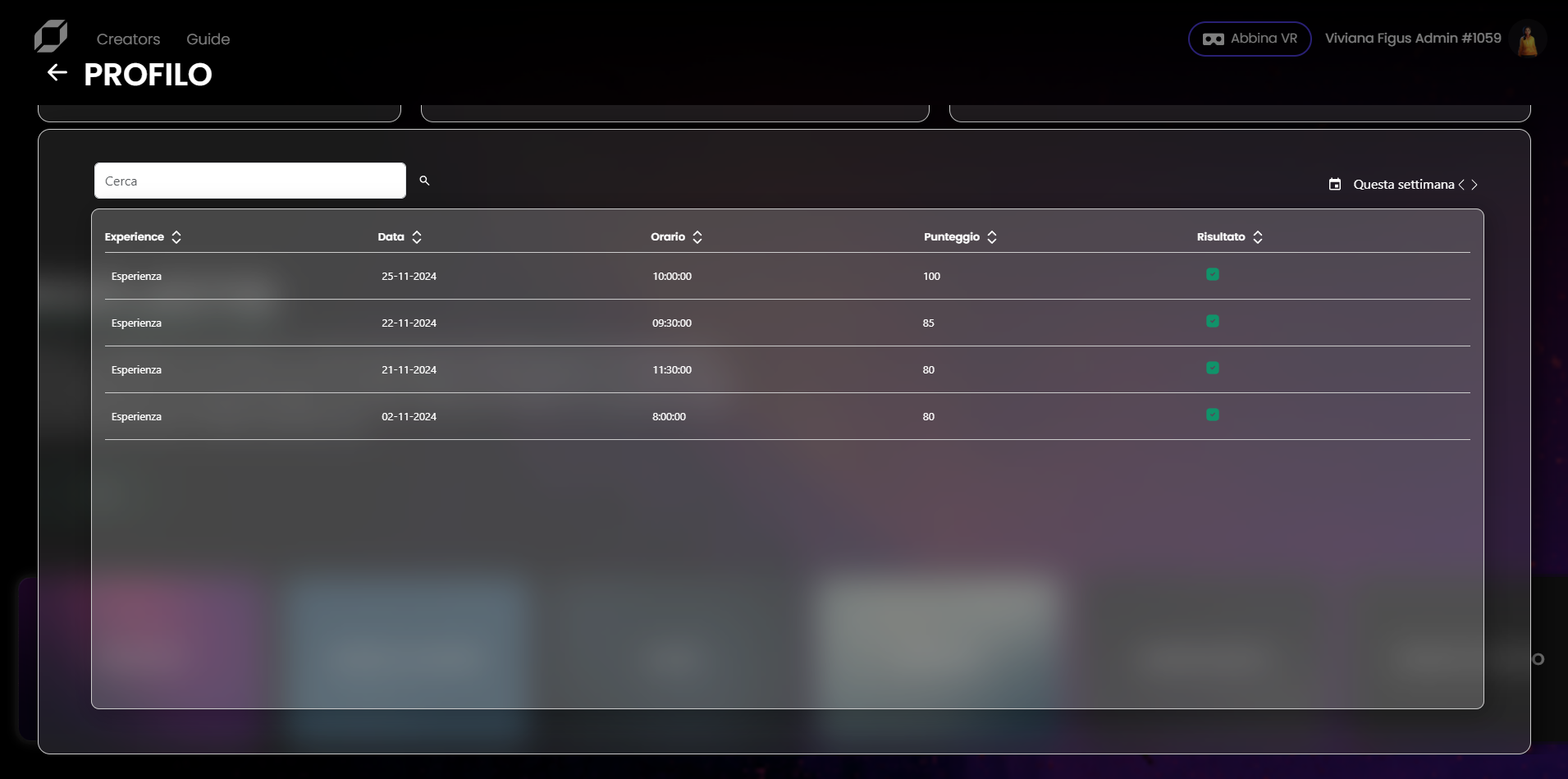
- Lists the experiences completed in the past week.
- Includes a filter to view experiences from the past three weeks.
- Each row represents an individual experience, displaying the date, time, and results.
- Experience Details
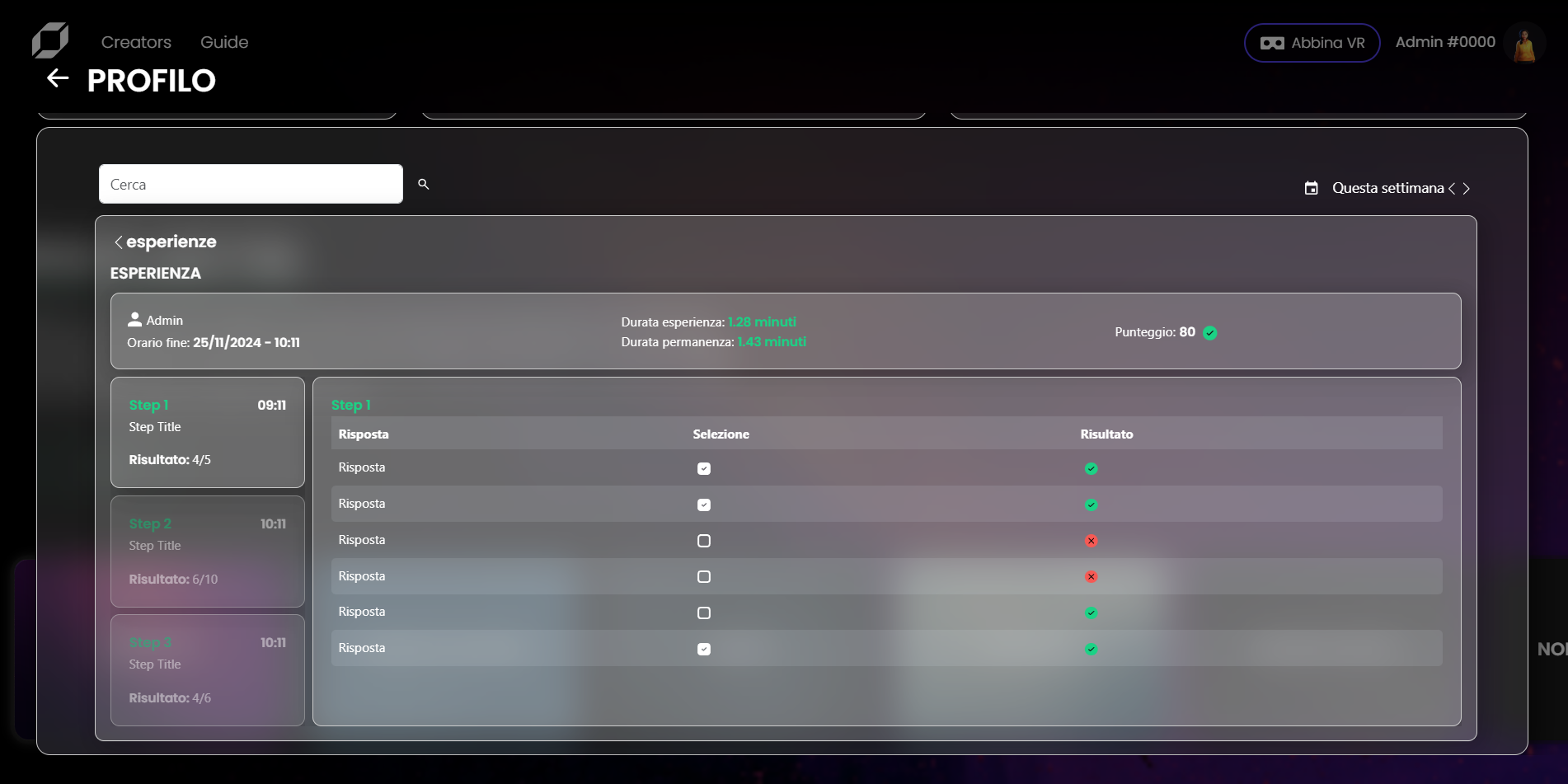
- Clicking on an experience opens a detailed view, including:
- Overview: Key metrics such as duration, participation time, and overall score.
- Steps: A breakdown of each step in the experience, showing:
- Step title and timestamp
- Results for each step with correct/incorrect answers.
- Clicking on an experience opens a detailed view, including:
Note
To ensure that experience analytics are visible in the Profile Page, the experience must be created using specific nodes from the Reflectis SDK Creator Kit provided with the application. For detailed instructions on downloading, installing, and using the SDK, please refer to the Reflectis Creator Kit documentation.