Catalog
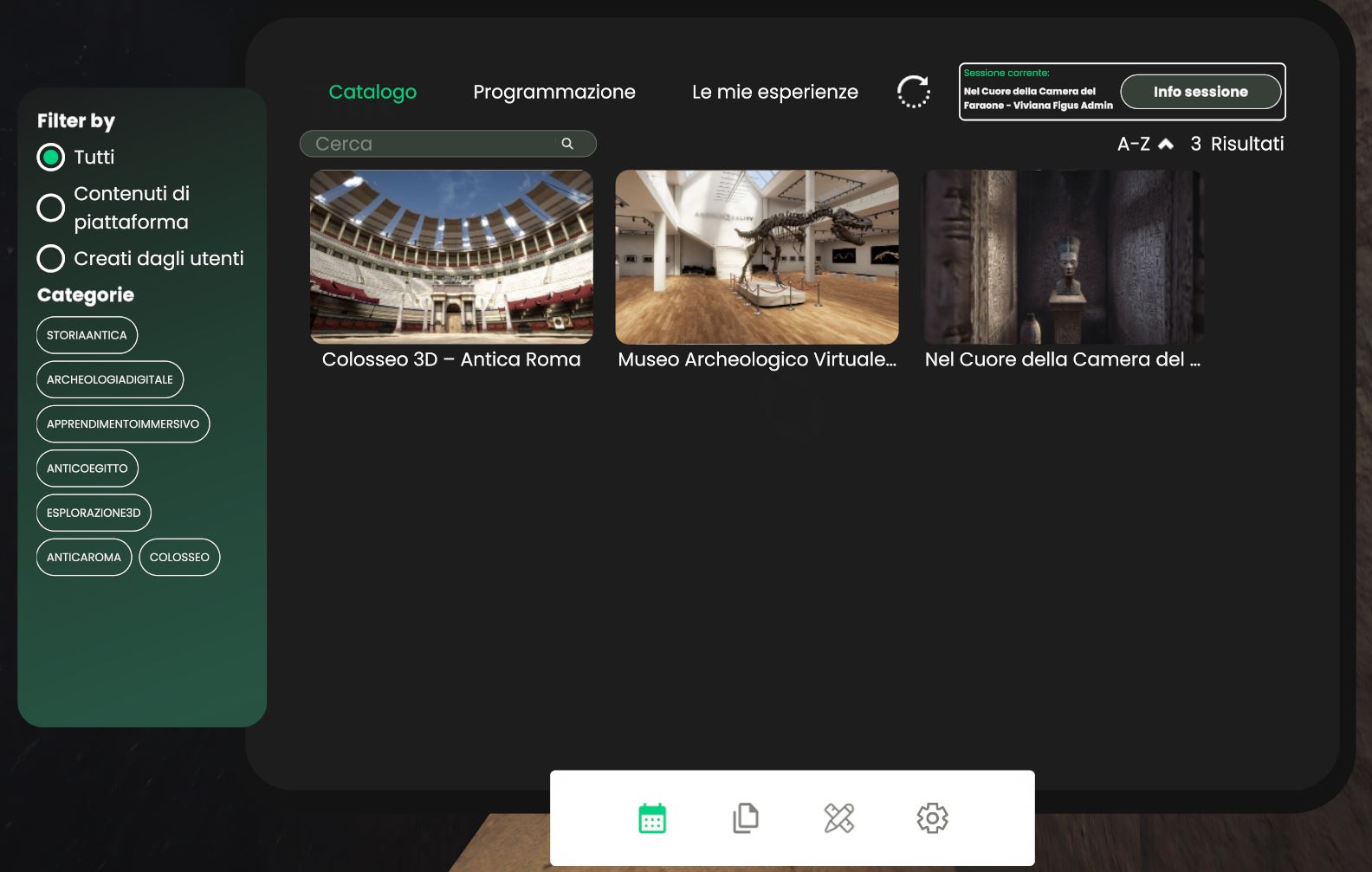
This dashboard is the in-world version of the web Catalog.
Whether you open it from the tablet or as a fixed panel inside some environments, you will see the same three tabs:
| Tab | What you find here |
|---|---|
| Catalogo | All Core experiences published by the platform plus any Authored experiences you (or other users) have shared. |
| Programmazione | A real-time view of sessions that are Live now and a monthly Calendar of what’s coming next. |
| Le mie esperienze | All the Authored experiences you own—edit, duplicate, delete or (un)publish in one click. |
Need the full, step-by-step guide? See
Catalog – Web documentation.
Interaction patterns
WebGL
- Fixed Dashboard Click once to zoom in; click again outside the frame to exit.
- Tablet Dashboard Open the tablet, tap the calendar icon in the bottom bar.
VR
- Fixed Dashboard Walk closer and point the controller at any button or tile.
- Tablet Dashboard Grab the tablet, aim the laser at the calendar icon.
Creating sessions (instead of “events”)
From the Catalog tab click on an experience card to open its overlay:
| Button | Result |
|---|---|
| Multiplayer | Jumps straight into the shared lobby. |
| Avvia per me | Starts a private single-player session. |
| Crea sessione | Opens the session wizard (Simple → Advanced). |
Sessions you create here will immediately appear in Programmazione and, if public, are visible to all users with access to the World.
Everything else—search, filters, Schedule, My Experiences—works exactly as described in the
Catalog – Web documentation.
The only extra super-power you get inside the 3D World is the ability to create Authored experiences on-the-fly.
Create an Authored Experience from a running session
- Join or start any session (public or private).
- Open the session overlay by pressing the green
Info sessionebutton in the top-right corner of the HUD. - At the bottom of the panel, click Crea esperienza.
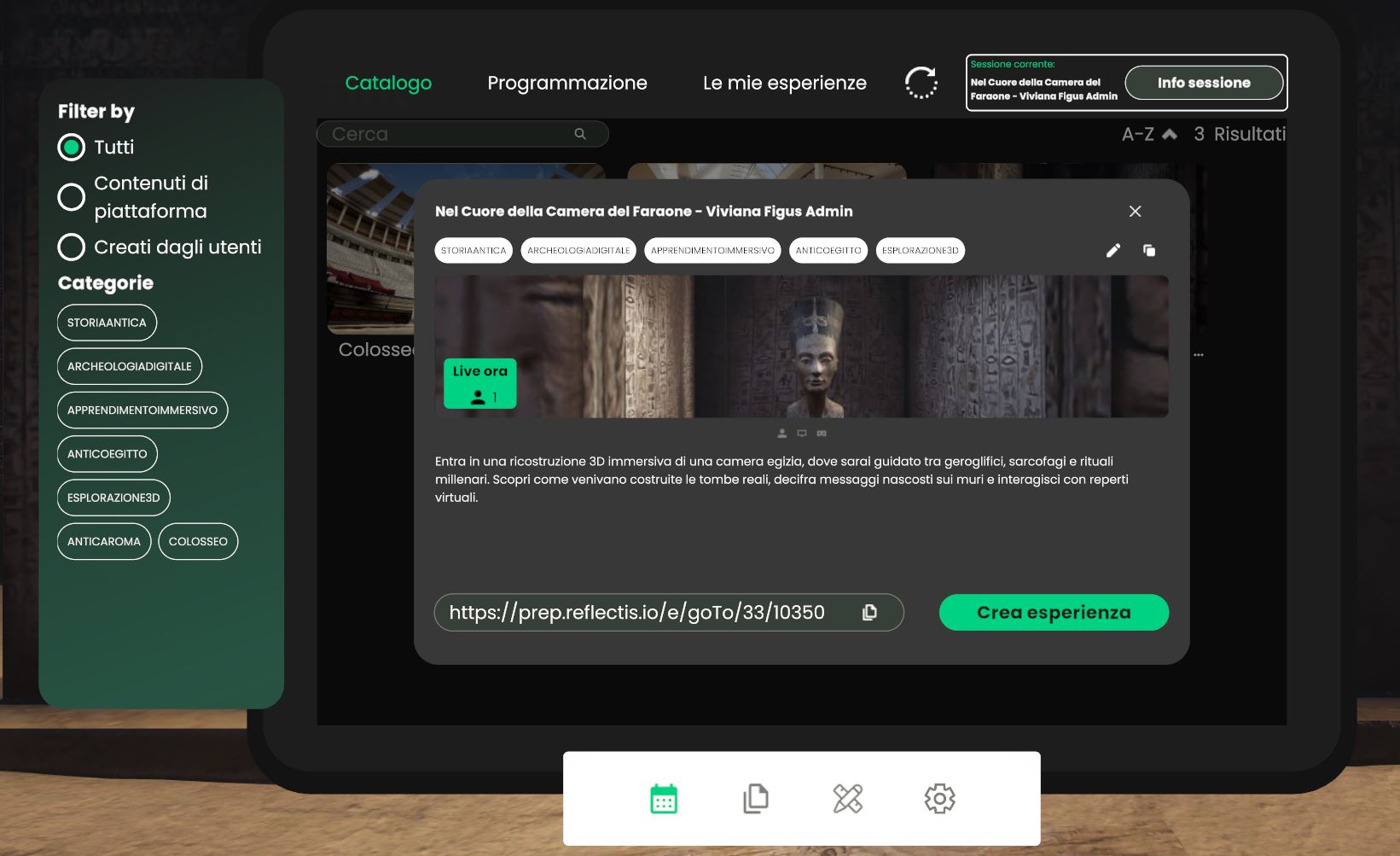
The system instantly duplicates the underlying Core experience, converting it into an Authored Experience that belongs to you.
Where does it go?
-
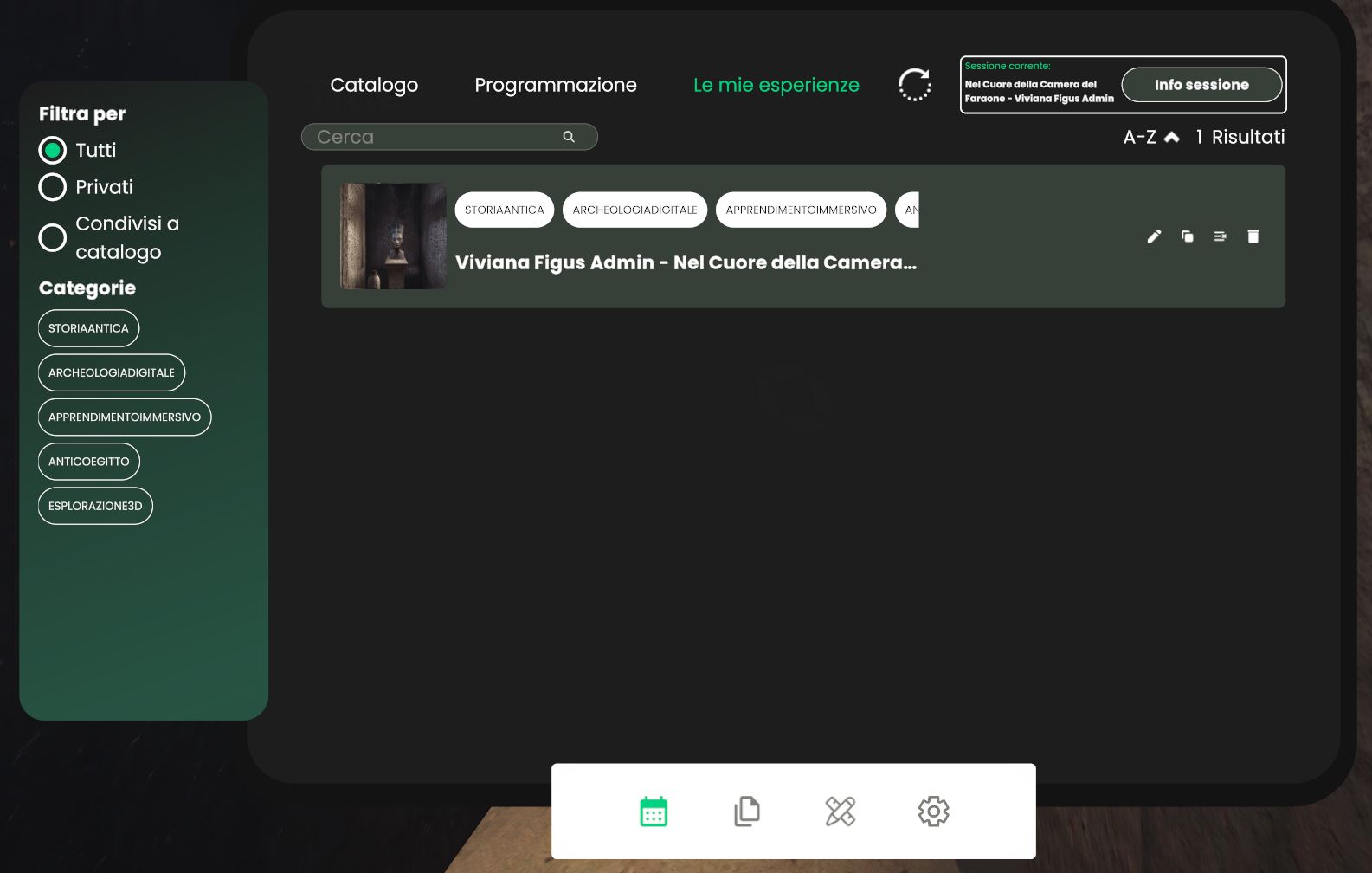
The new item appears in Le mie esperienze under the Authored tab:
-
From there you can edit its title, description, tags and thumbnail, or share it to the public Catalog—identical workflow to the web version.
Note
Authored experiences created in-world are stored server-side and are therefore visible to you (and to anyone you publish them to) across WebGL, VR and the Web Catalog.