World
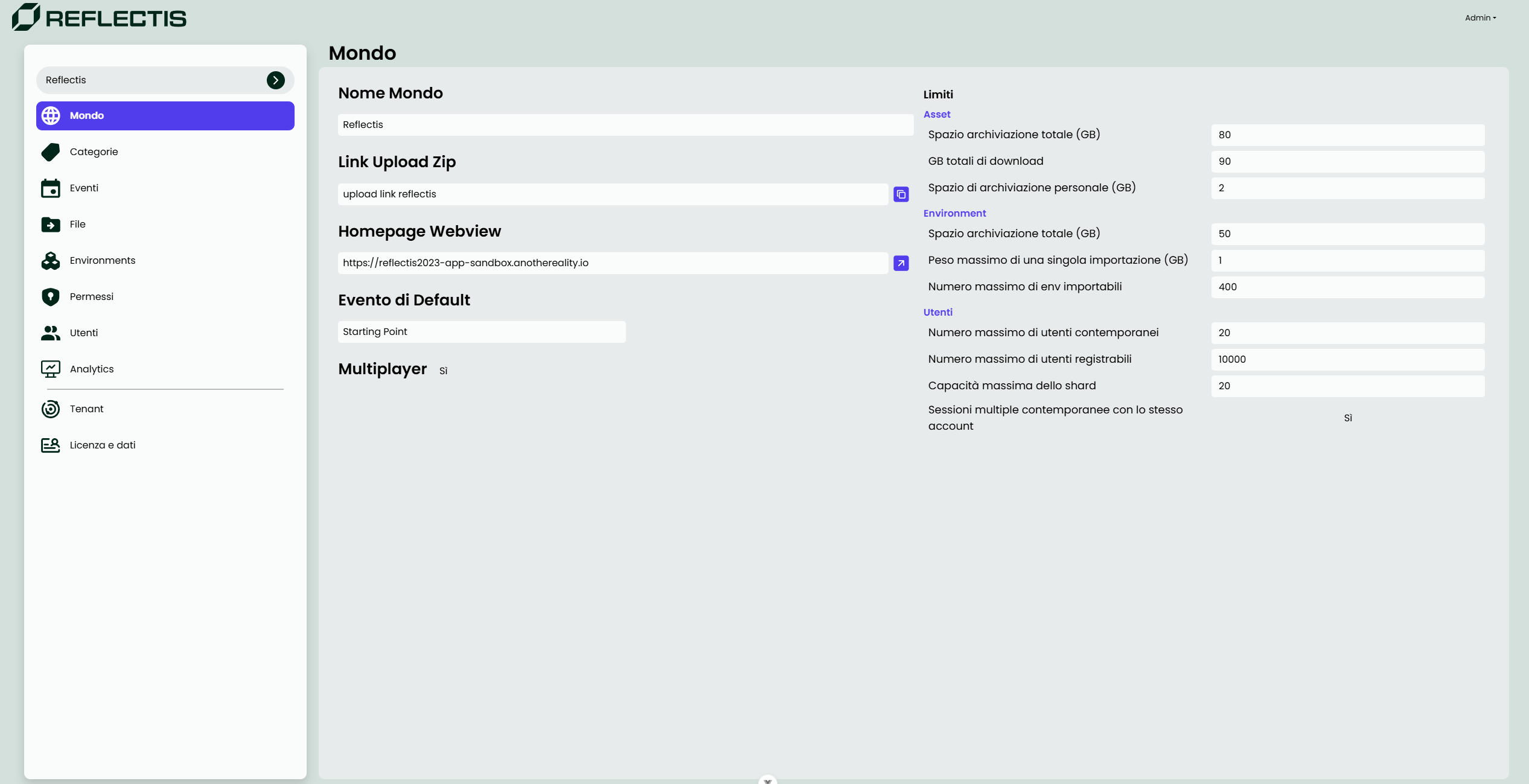
World Section
The World section provides an overview of essential configurations and limits for the selected world. This section allows users to view and manage various properties and restrictions, depending on their roles and permissions.
Available Features and Fields
-
World Name
Displays the name of the world. (Read-only) -
Upload Zip Link
A button or link to upload a zip file containing content or assets for the world. -
Homepage Webview
The URL of the WebGL application serving as the landing page for this world. Users can access this to enter the world as members. -
Default Event
Specifies the starting point event for the world. This is the first event users experience upon entering the world. -
Multiplayer
Indicates whether the world supports multiplayer functionality. If set to Yes, the world allows multiple users to interact simultaneously.
Limits Configuration
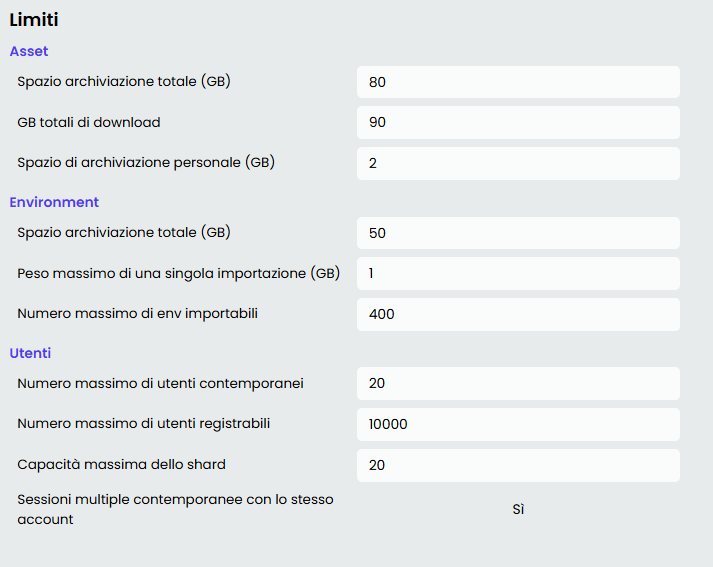
On the right-hand side of the section, read-only limits for the world are displayed. These include:
-
Assets
- Total storage space available (GB).
- Total download limit (GB).
- Personal storage space limit per user (GB).
-
Environment
- Total environment storage space (GB).
- Maximum size of a single importable environment file (GB).
- Maximum number of environments importable.
-
Users
- Maximum number of concurrent users allowed.
- Maximum number of users that can register for the world.
- Maximum shard capacity for simultaneous users.
- Whether multiple concurrent sessions are allowed per user account.
Permissions
- This section is primarily for viewing world properties.
- Only users with the Tenant Manager role can modify world settings, limits and configurations.