Presence
Presence Analytics
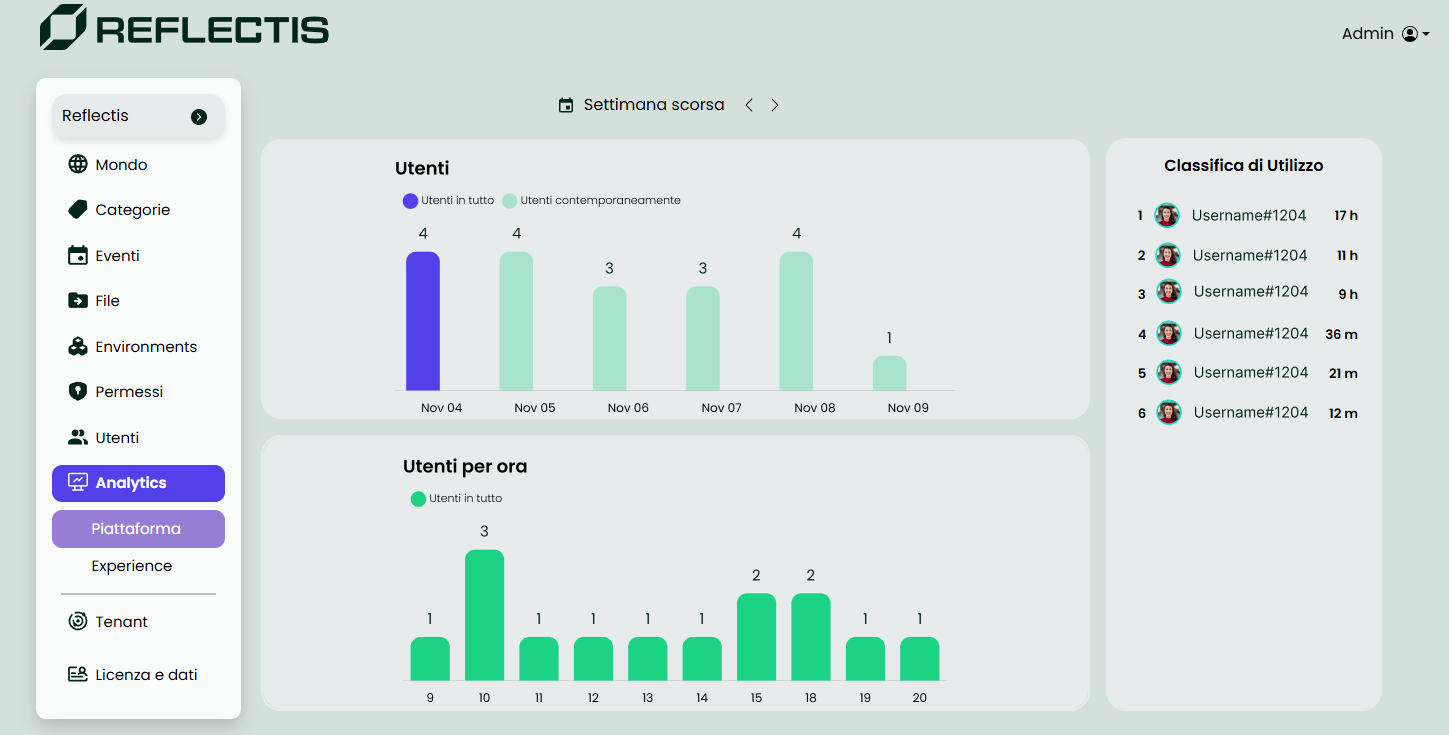
The Presence Analytics page is accessible only to users with the Manage World Analytics permission, and to World Owners. It provides insights into user activity patterns on the platform, specifically focusing on daily and hourly user counts.
- Daily User Count: This view shows the total number of users active each day over a selected week, allowing administrators to track general engagement trends.
- Hourly User Count: By selecting a specific day, administrators can view the breakdown of user activity by hour, helping identify peak times of platform usage.
Filters
Administrators can navigate through previous weeks to view historical data, but access is limited to a maximum of three weeks back. This filter enables users to focus on recent trends while maintaining efficient data processing.
To access the Presence Analytics page, navigate to the sidebar under the World section and click on the corresponding button, or visit the relative path /world-analytics.
The data presented in Presence Analytics aids administrators in understanding user engagement patterns, optimizing platform performance, and identifying key usage times.