Task System Prefab
In order to use the task system you need to add the tasksLogic prefab to the scene. You can find the prefab in Reflectis-Creatorkit-Worlds-Tasks → Runtime → Prefabs.

Inside the prefab you’ll find 2 gameObjects:

- MainUIWorldSpaceCanvas: Contains the taskUIPanel used to display the titles and descriptions of the tasks that the user has to perform.
Note
You can turn off the Canvas component of the game object if you don't want to show the panel inside the environment.
Warning
Don't turn off the MainUIWorldSpaceCanvas gameobject or the task system logic won't work
- TaskSystem: Contains the actual logic and timeline of the tasks. This is where you create and manage tasks and their dependencies.
Sample scene
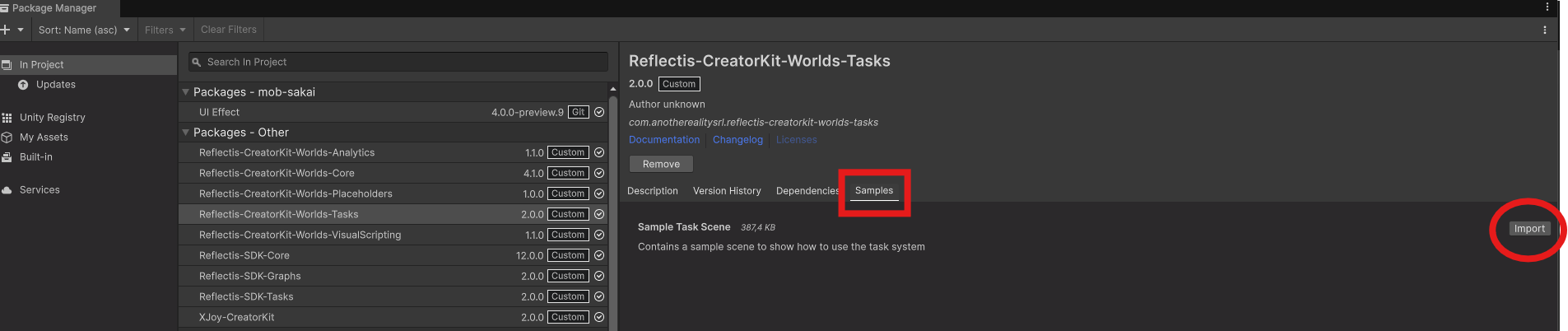
You can find a sample scene in the samples section of the reflectis-creatorkit-worlds-tasks package, inside the package manager.
Note
After the download, the scene can be found in the following path: Assets → Samples → Reflectis-Creatorkit-Worlds-Tasks → 2.0.0 → Sample Task Scene