Communication
Users can communicate on the platform through both voice chat and text chat, available in both WebGL and VR.
Voice chat
The voice chat will be spatialized, meaning that only those within x meters range of the speaker can hear them, and it will be available in all multiplayer environments. Some environments may have specific private zones with voice chat triggers, allowing users to only hear the speaker if they are inside the same area.
Text chat
As for the text chat, it will be organized into channels (general, current event, private) and will not have a message history.
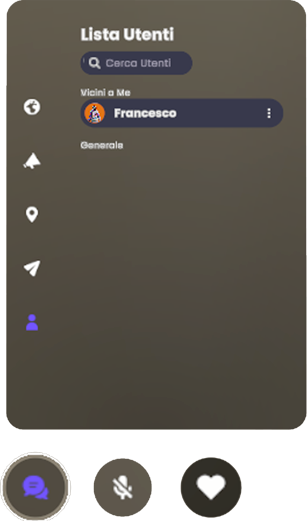
A user can send a private message directly to another user by clicking on their name from the user list. Additionally, among the text chat channels, there will be an "Announcements" channel where the staff can post real-time communications.
From the text chat is possible to open the Online user list, from which you will be able to mute/kick a user in the same room as you (if the role allows it), to look at his profile and to open a private chat.
Animations and reactions
Users will be able to communicate with each other through animations (full body and WebGL only) and reactions (2D images displayed above the avatar, both WebGL and VR) that can be activated with quick choices (shortcuts or in-game menu).
Animations and reactions won’t have physics or logic that interacts with the environment or other users.
Speaker mode
Users with a specific permit will be able to activate the speaker mode through user interface. By activating the voice chat a new icon will become available. by clicking it the voice chat will change from spatialized to global so everybody in the event can hear you.