Communication
Reflectis enables communication through voice chat, text-chat and non-verbal interactions, which are available in both WebGL and VR platforms. This section outlines the feature and functionalities for seamless interaction among users.
Voice chat
The voice chat feature is designed to be spatialized, ensuring that only users within a defined range can hear the speaker. This functionality is available in all multiplayer environments and enhances the sense of realism and immersion.
Certain environments may include designated private zones with voice chat triggers. In these zones, only users within the same area will hear the speaker.
Text chat
The text chat feature is organized into distinct channels for streamlined communication. These include:
- General Channel : Open to all users for broad discussions.
- Current Event Channel: Specific to the ongoing event for focused conversations.
- Private Channels: For direct, one-on-one communication between users.
Key characteristics of the text chat:
- No message history: Text chats will not save past messages.
- Private Messaging: A private message can be sent by selecting a user from the online user list and clicking their name.
- Announcements Channel: A dedicated space for staff to post real-time updates and communications.
Online User List
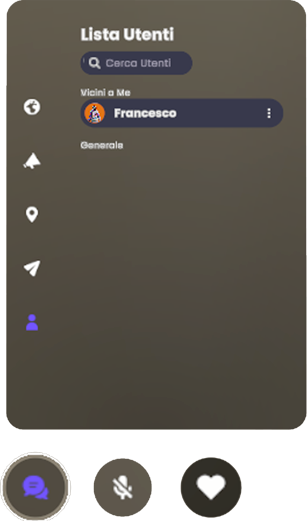
From the text chat interface, users can access the Online User List, which provides the following actions:
- Mute or Kick a user in the same room (if role permissions allow).
- View a user's profile.
- Initiate a private chat with a selected user.
Animations and Reactions
Reflectis supports animations and reactions to enable expressive, non-verbal communication:
- Animations: Full-body gestures available in WebGL only.
- Reactions: Displayed as 2D images above the avatar, supported in both WebGL and VR.
- Activated via quick choices such as shortcuts or the in-game menu.
- No physics or interaction: These features are purely visual and do not affect the environment or other users.
Speaker Mode
Users with the appropriate permissions can activate Speaker Mode, which adjusts the voice chat functionality:
- While in Speaker Mode, voice chat switches from spatialized to global, allowing all participants in the event to hear the speaker.
- A dedicated icon becomes available upon activating voice chat. Clicking this icon enables Speaker Mode.