Users
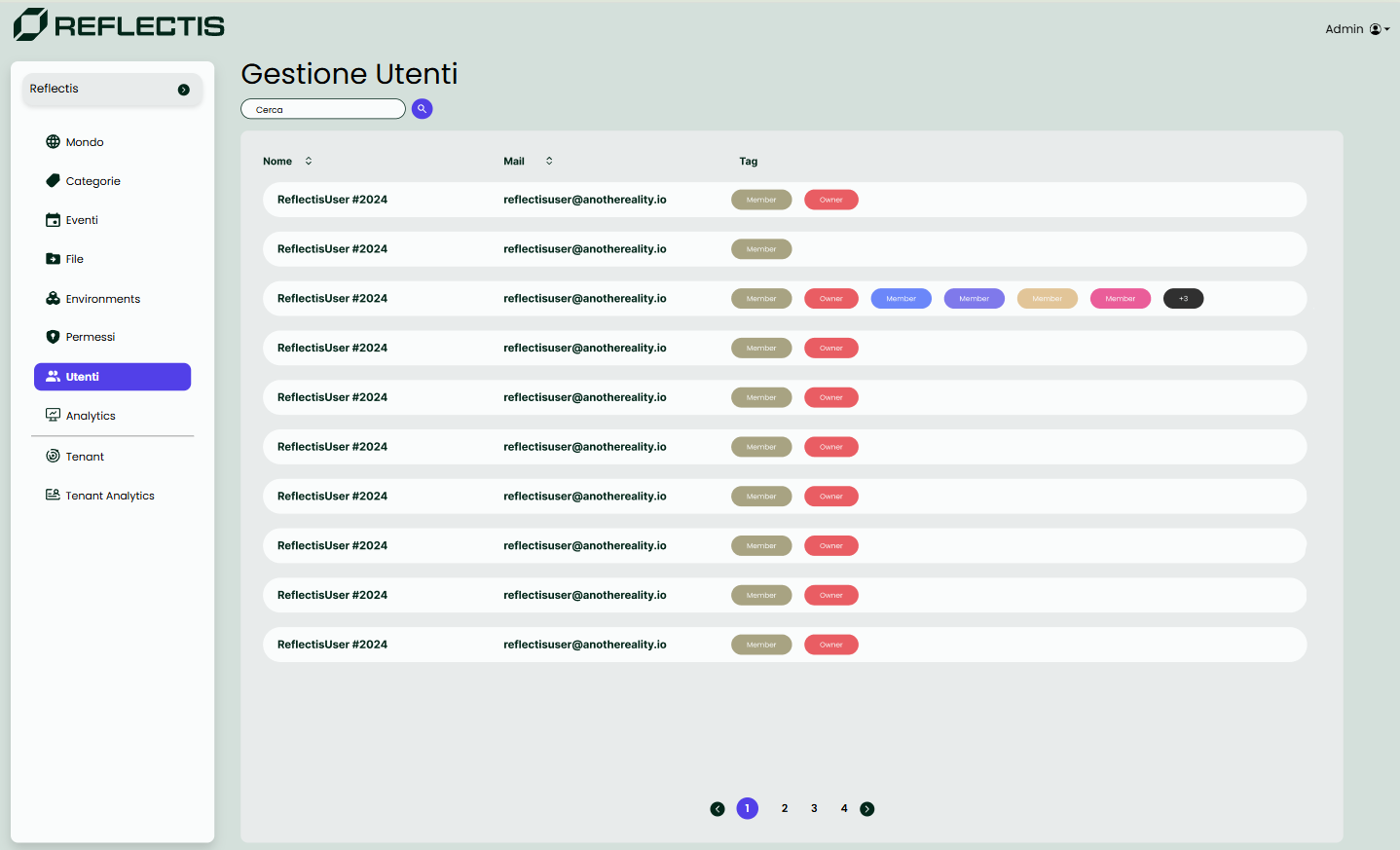
Users Section
The Users section in the Back Office provides a comprehensive list of all users registered within the same world. In this section, administrators can view and manage each user's roles.
Each role grants specific permissions, allowing users access to different parts of the platform based on their role configuration.
Managing User Roles
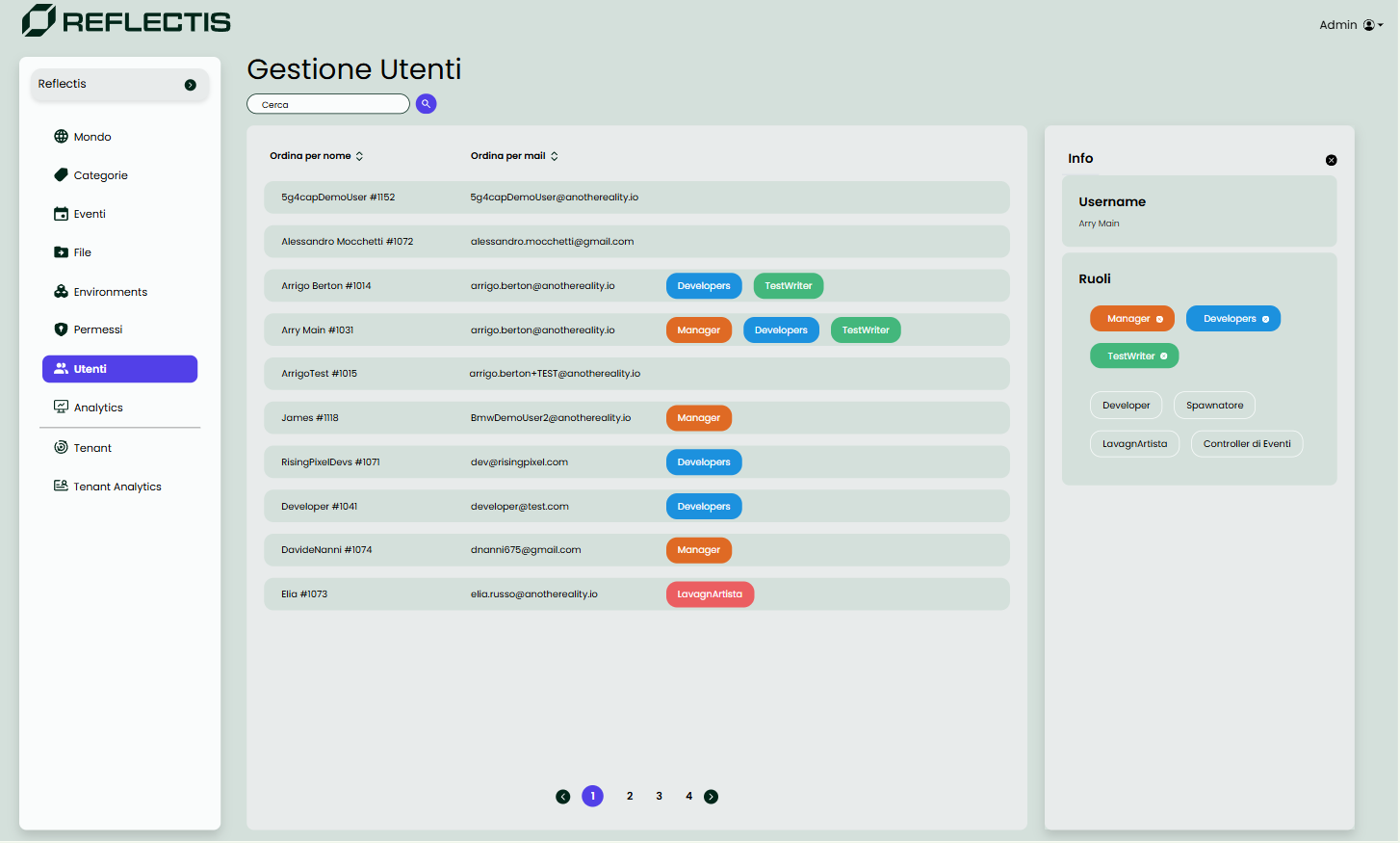
To assign or edit roles for a user, click on the username to open a side panel. This side panel provides options to:
- Assign roles: Choose from a list of available roles to assign to the user.
- Remove roles: Click the "X" next to an assigned role to remove it from the user.
Viewing User Information
In addition to role management, the side panel allows administrators to view personal information about the selected user. This includes details such as their biography, birthday, and associated social network accounts (if provided).
The Users page is designed to streamline user management within a world, allowing administrators to quickly assign permissions, organize users by roles, and access relevant personal details for each user.