Users
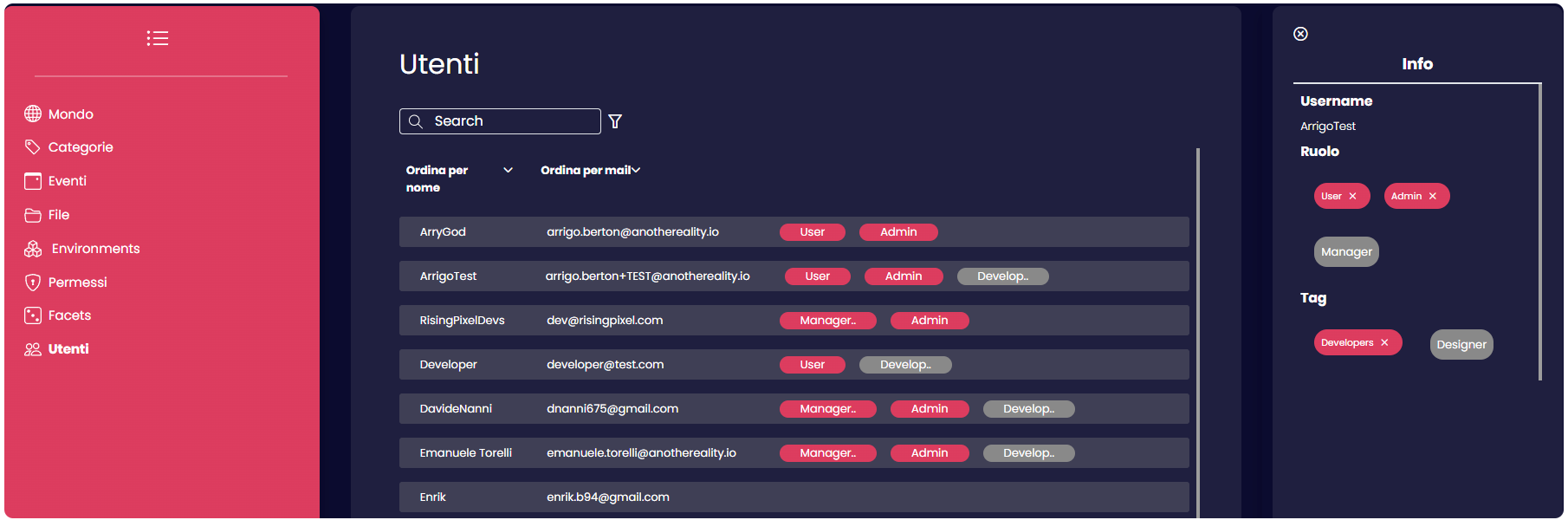
The "User" section provides a comprehensive list of all users registered within the same tenant. Within this section, users can be linked to their respective roles and tags. Each role is associated with distinct permissions, depending on how it was configured. Tags, conversely, offer an alternative method of organization, facilitating the grouping of elements based on a common factor, typically denoted by the name of a specific tag. This aids in recognizing which users belong to a specific group.
Users with the authorization to assign tags or roles can open a side panel by clicking on a username in this section. From this side panel, they can establish associations between the username, roles, and tags as per the user's specific requirements or role.
Furthermore, from this side panel, users can also remove roles and tags by selecting the username and clicking on the "X" associated with the tag or role in the pop-up side panel.

Also, this page provides the capability to view the personal information of selected users, including details such as their biography, birthday, and associated social network accounts.