Schedule
The Schedule tab lets users see what is happening right now and what is coming next inside the World.
It is divided into two main blocks—Live Now and Calendar—plus a dedicated view for My Sessions.
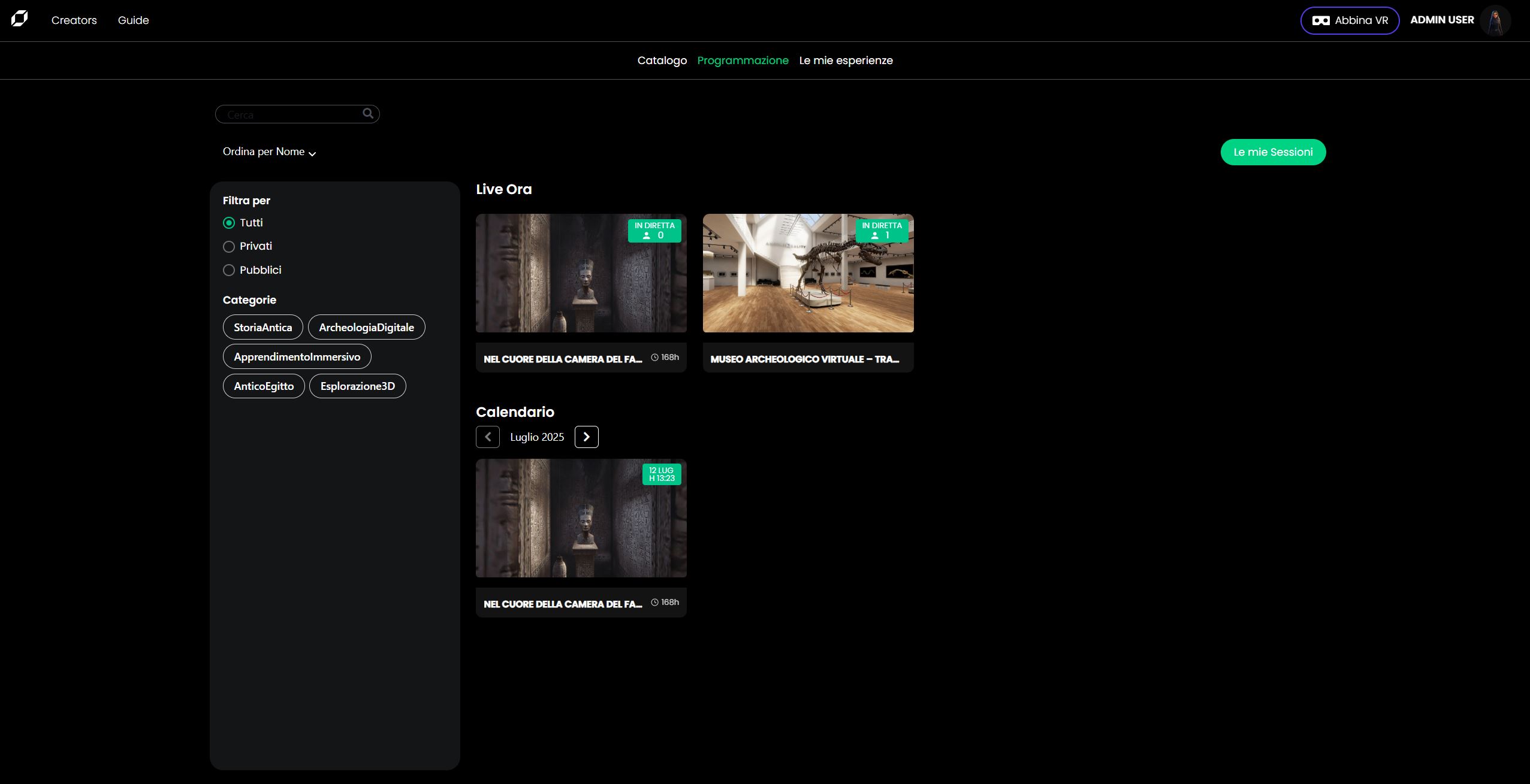
Page layout
| Area | Description |
|---|---|
| Search bar | Filters sessions by title. |
| Sort by | Re-orders the lists (Name, Date, Popularity…). |
| Filter sidebar | Radio selector (All ▸ Private ▸ Public) and Content Tag pills. |
| Live Now | Tiles for sessions already running; each tile shows a “Live” badge and current participant count. |
| Calendar | One-month strip of upcoming sessions, scrollable with the chevrons. |
| My Sessions | Green button top-right that opens a page with only the sessions you created. |
Private vs Public
Public sessions are visible to every member of the World.
Private sessions appear here only to invited users.
Live Now
- Click a tile to open its detail overlay and join the session.
- If the session has reached its capacity limit no additional shards are spawned; users will see a “Full” message.
Calendar
- Use the left / right chevrons to navigate months.
- Click a session card to open its detail overlay (join, share or view info).
My Sessions
Press My Sessions to open the personal dashboard.
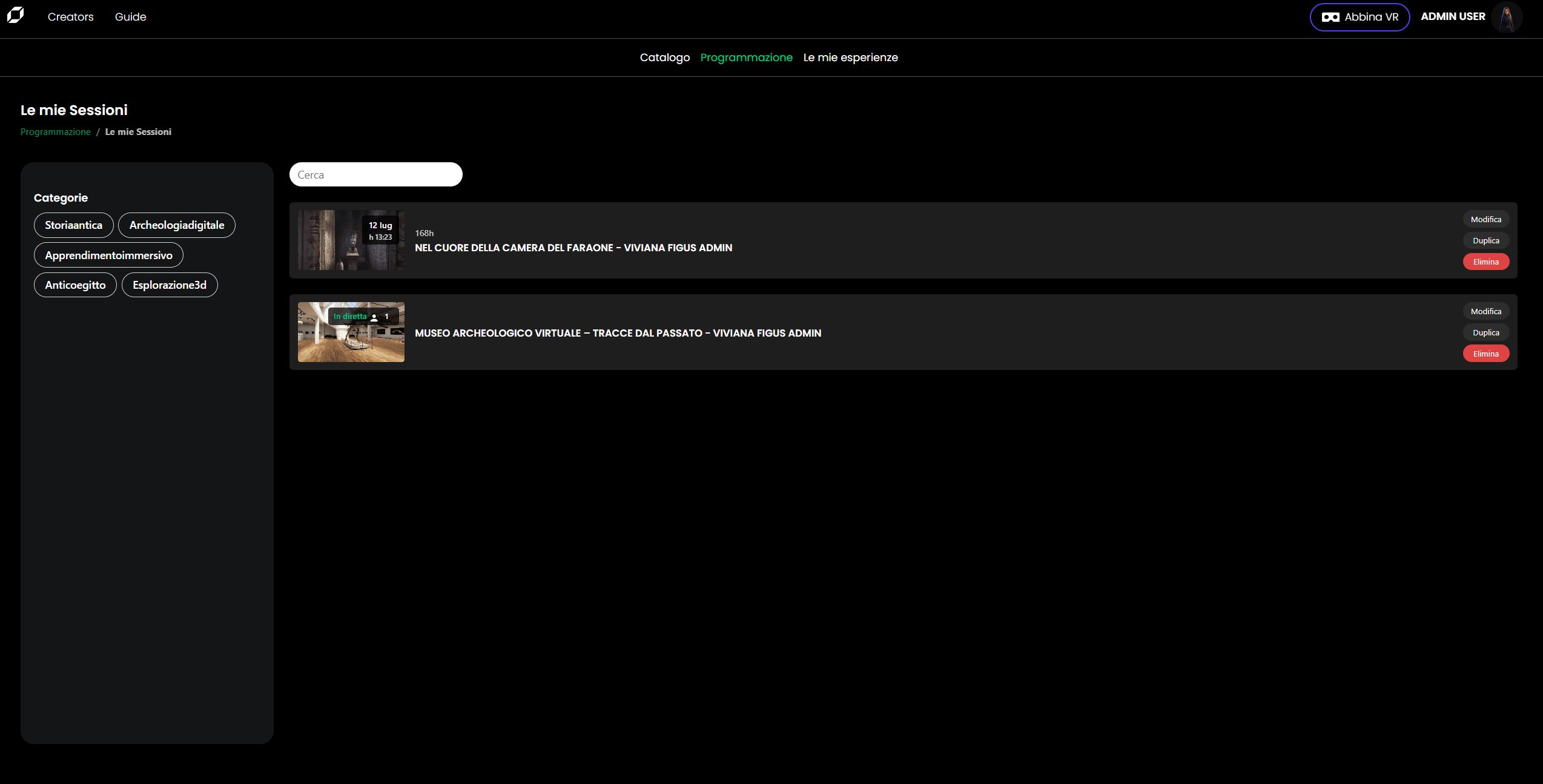
| Feature | What it does |
|---|---|
| Search | Finds sessions by title. |
| Tag filter | Shows only sessions carrying the selected Content Tag. |
| Edit | Opens the same overlay used at creation time; you can change name, tags, schedule, capacity, visibility and advanced options. |
| Duplicate | Creates a clone with “– copy” appended to the title (handy for recurring events). |
| Delete | Removes the session permanently. |
Note Running sessions can be edited only for name and visibility; other parameters are locked once the room is live.
At a glance
| Status badge | Meaning |
|---|---|
| Live (green) | The session is in progress right now. |
| Date + time | Scheduled; will move to |
Important There is no session archive: once a session’s end-time has passed it is automatically removed from both Schedule and My Sessions.