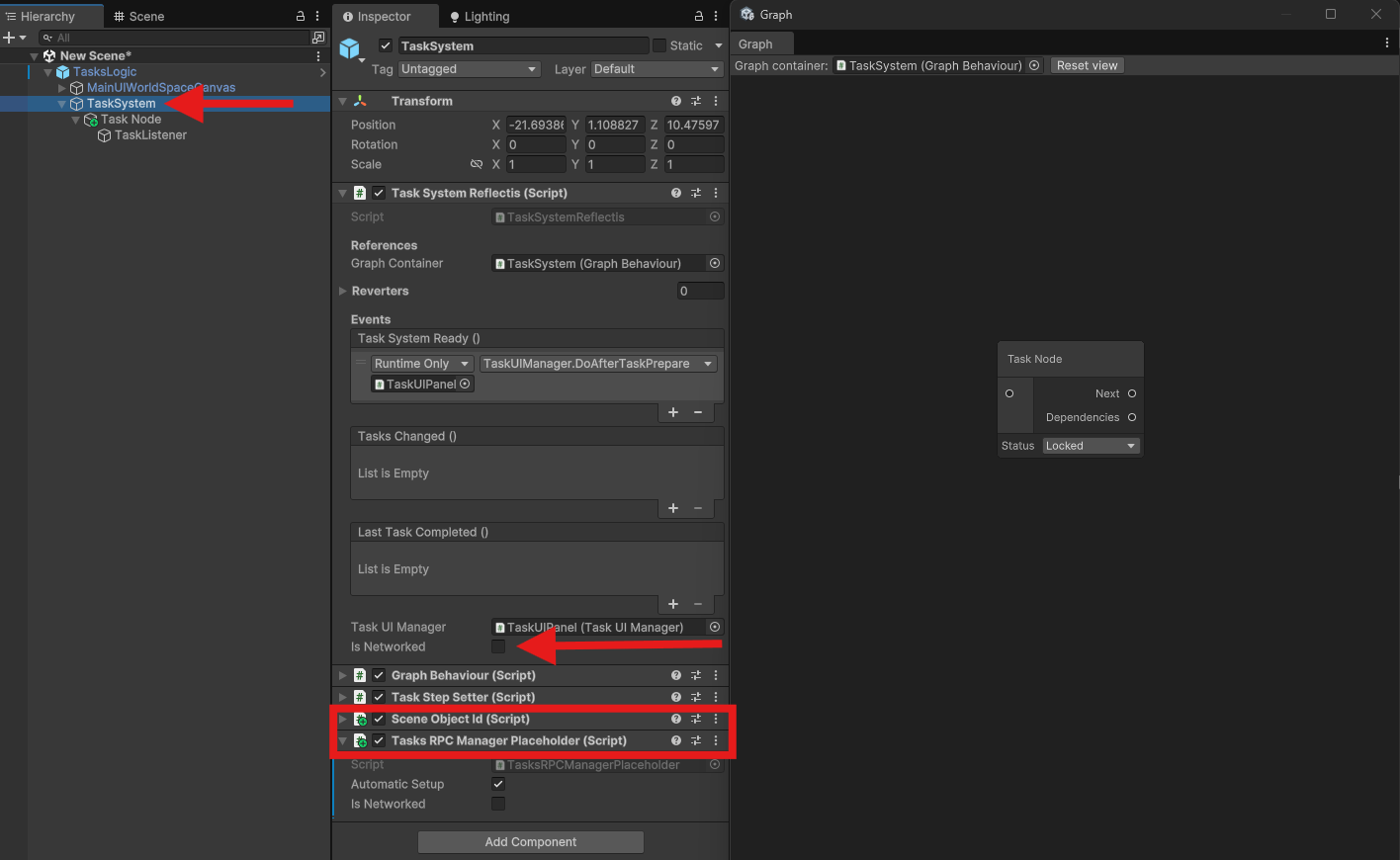
Task System Graph and Nodes
The TaskSystem Gameobject ontains a script component called **"GraphBehaviour"*. On the component's inspector ther's a button called “Open Graph”. By clicking on it you can access the graph window where you can create all your tasks with their associated detectors.
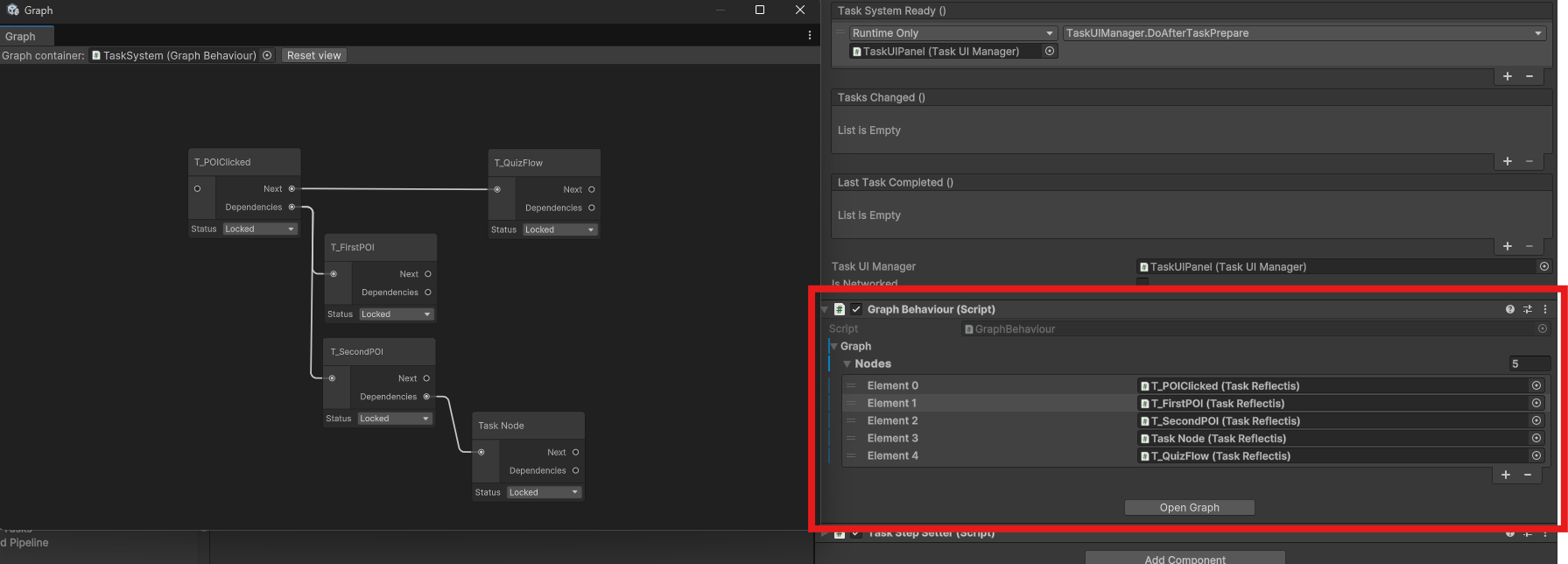
In the Graph window you can create tasks by by pressing the right click on your mouse, then hit create Node and choose the task you want to create form the list of proposed nodes.
When a new Task Node is added to the graph, a game object of the same node appears in the hyerarchy. The game object has 2 children:
- Task listener: Manage the triggering of actions and events by referencing task system events.
- Detector: Manage the triggering of actions and events by referencing specific actions. The actions depend on the type of node selected
The nodes in the graph window have the "Next" and "Dependencies" fields. These are used to handle the logic and flow of the taskSystem.
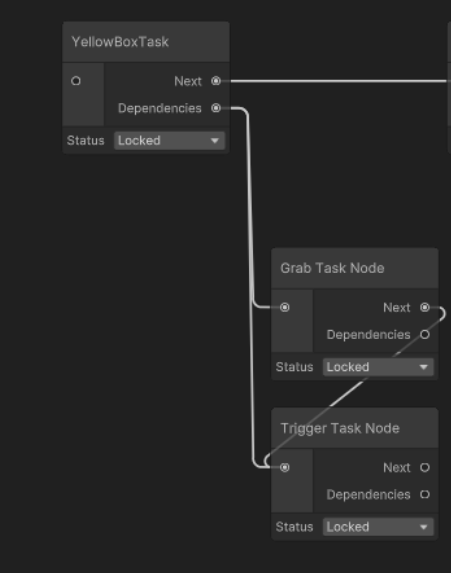
By completing all the dependencies is how the task progresses to the node attached to the "Next" slot.
Task System Multiplayer setup
In order to make the taskSystem work in multiplayer you simply have to tick the “isNetworked” field in the TaskSystemReflectis and add the "TasksRPCManagerPlaceholder" to the TaskSystem gameObject. Check the Example Scene in the package to check how to better manage a multiplayer task flow.