Reflectis Back Office – Version 2026.1 Changelog
Released in Jan 2026
Added
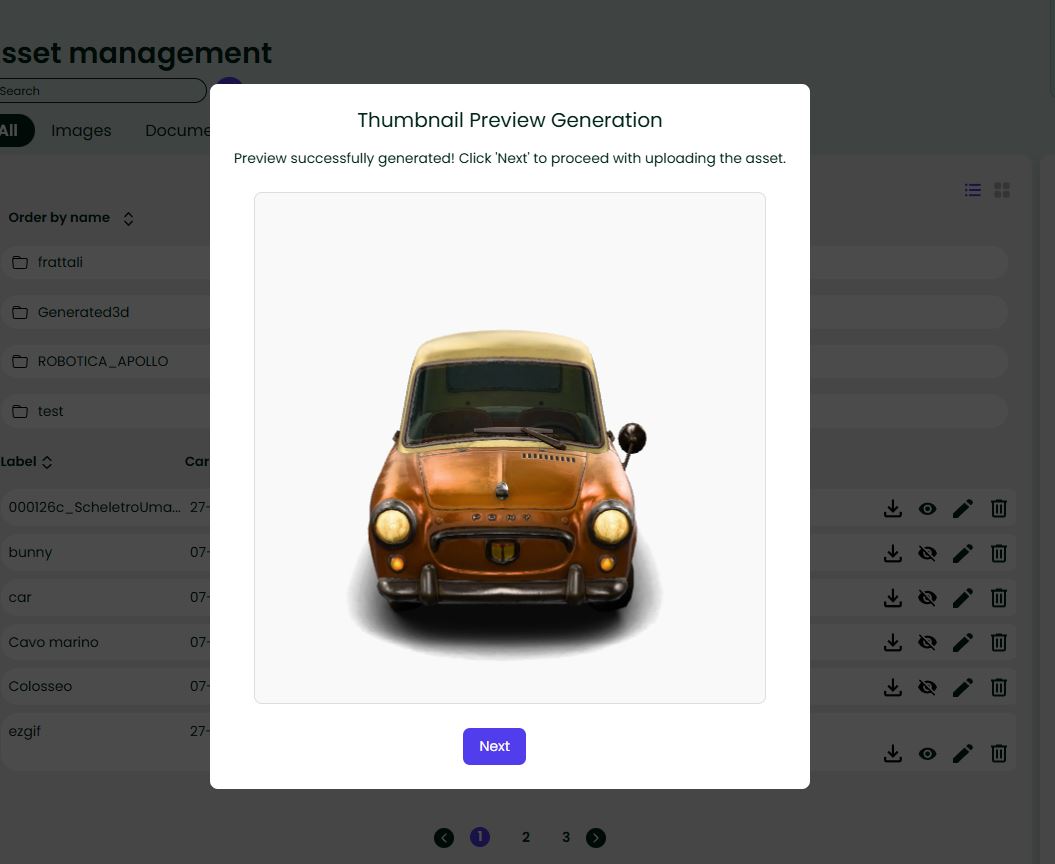
Asset Page - Automatic Thumbnail Generation
A fully automated thumbnail generation feature has been implemented during asset upload. The entire process is accompanied by clear visual feedback: a modal overlay informs users about the generation status with specific messages for each phase ("Generating thumbnail...", "Thumbnail generated successfully").
In case of errors or timeouts, the system provides understandable error messages and allows users to manually upload an alternative thumbnail.
Changed
Scoped Assets Configuration
The contextual menu and transformation settings have been refined to appear only for 3D assets, providing a cleaner and more focused interface. Previously available for all asset types, these options (Non-proportional scaling, Color Picker, Explodable, and Lock Transform) are now exclusively shown when working with 3D models, reducing interface clutter and preventing confusion for non-3D content.
Improved Dimension Control Clarity
The dimension control section has been enhanced with clearer labels and more descriptive text to better guide users through the configuration process. The updated descriptions make it easier to understand when to use dimension limiting (UnscaledSize) versus custom scale factors, helping users make informed decisions about how their 3D objects will behave in virtual environments.
Agent Voice Selection
The agent chatbot creation process now includes voice capability configuration. When creating a new agent, users can select from available text-to-speech voices through a dedicated dropdown menu in the configuration step. The system automatically loads available voices and preselects a default voice when available.
Once a voice is selected, an information box displays the voice name and description to help users make informed choices. The selected voice is then associated with the agent via the voiceId parameter and becomes visible in the agent's detail view, enabling audio-based interactions with the chatbot.