Build the experience
When the scene is completed it needs to build the addressables.
Remember to first correctly configure addressables here.
You have to click on "Reflectis" on the top bar and then click on "Configure and build Addressables".

Then, click on "Build Addressables" in this panel:
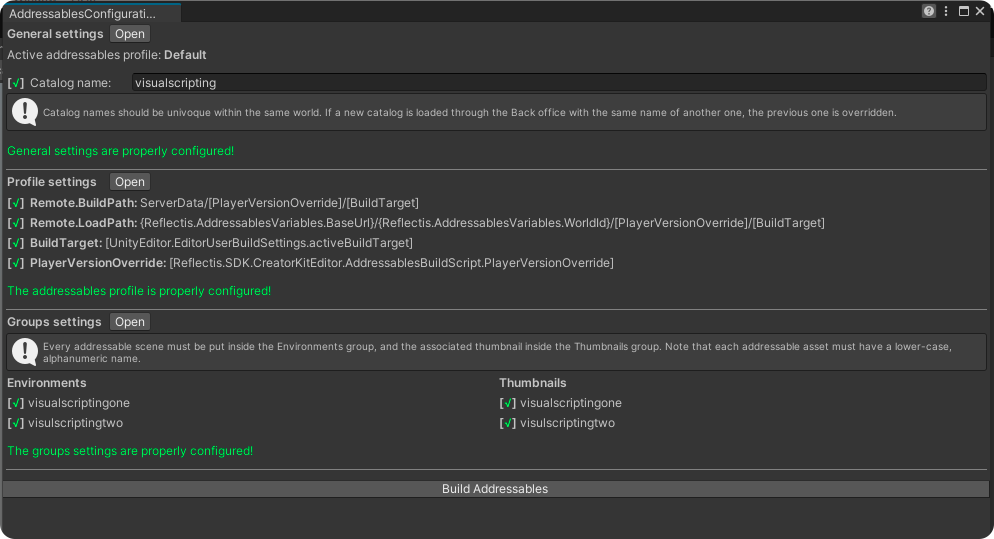
This configurator is useful, because it allows you to warn (via red crosses) of any errors, such as incorrect addressables names, missing build path or load path links, unreferenced scenes, etc.
In case there are any errors, you can click on "Fix" and the configurator will automatically fix them.
In addition, you may find warnings, such as these in the panel below:

In this case you will have to follow the instructions and fix the warnings directly by clicking on "Open".
When all the checkmarks are green, you will be able to click on "Build addressables" to complete the build, and then you can move on to publishing.