Tenant
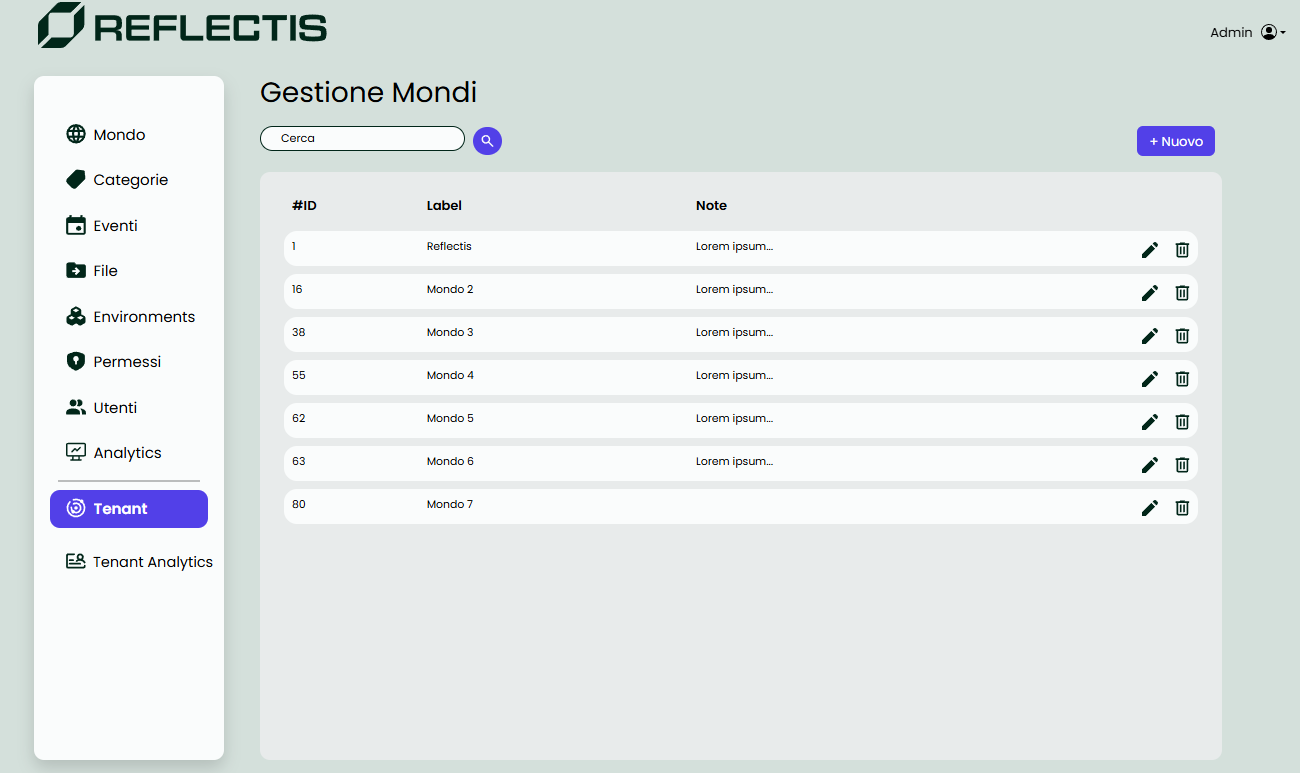
Tenant Management
The Tenant section allows the Tenant Manager to oversee the worlds within their tenant, providing options to create, edit, and delete worlds. This section offers full control over world management, including configuring essential details and managing user roles.
World List
The Tenant Manager can view a list of existing worlds, each represented with basic details. From this list, worlds can be edited or deleted as needed.
Creating a New World
When creating a new world, the Tenant Manager is prompted to fill out the following fields:
- Label: The name or title of the world.
- Description: A brief overview of the world’s purpose or theme.
- Thumbnail URI: The URL for the world’s thumbnail image.
- Logo URI: The URL for the world’s logo image.
The Tenant Manager also has the option to set the world online at creation or during editing. Additionally, enabling the Ownership flag allows the Tenant Manager to assume the role of Owner for the newly created world, granting them additional control.
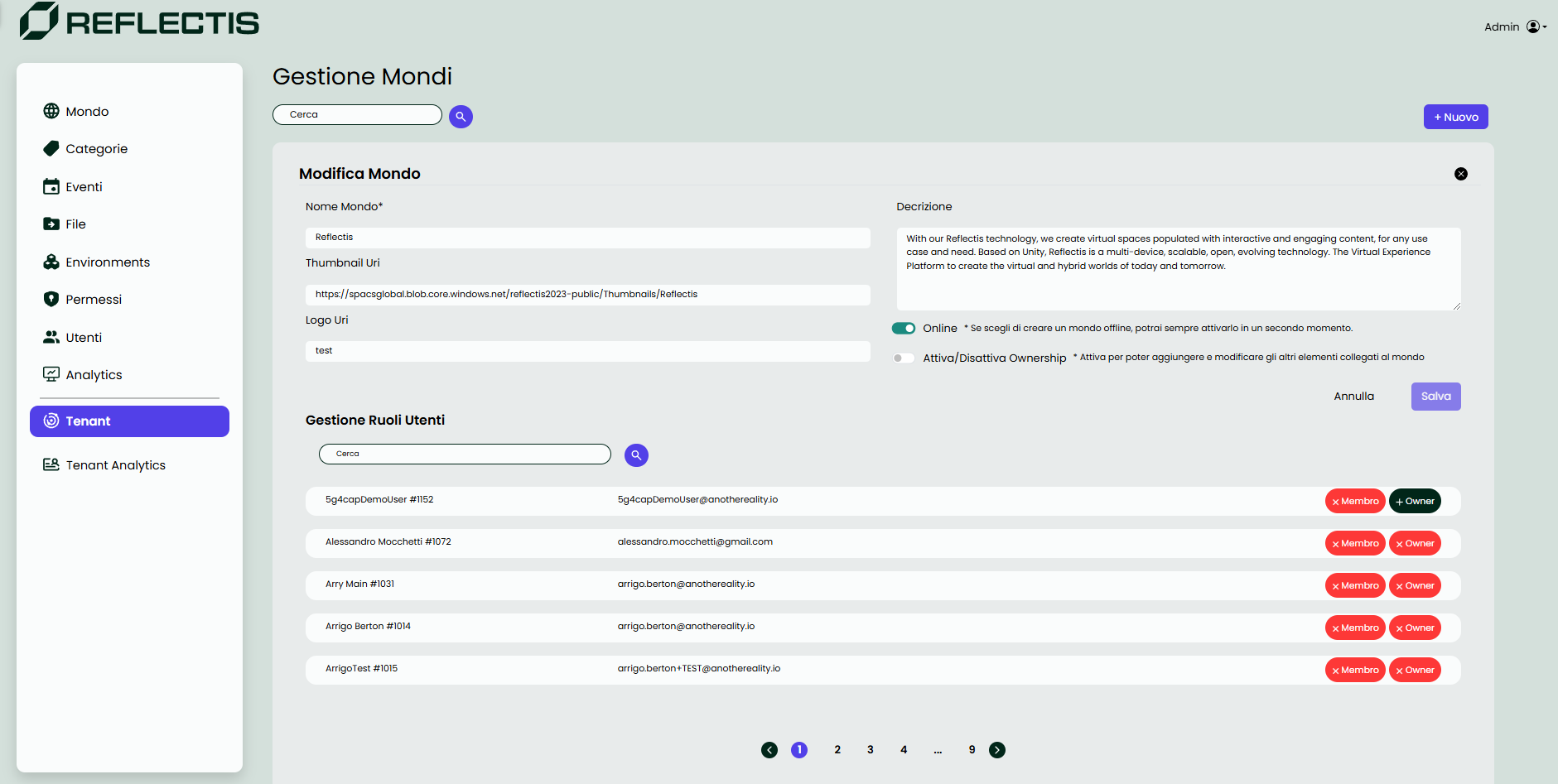
User Role Management
Once a world is created, an additional section appears below the world details. In this section, the Tenant Manager can assign roles to users subscribed to the tenant:
- Member: Grants basic access to the world.
- Owner: Assigns ownership to specific users, providing them with enhanced management capabilities within the world.
The Tenant section thus centralizes world management and role assignment, ensuring that Tenant Managers can effectively organize and control access to each virtual environment.