Event nodes
In order for the synchronized variables to actually be displayed by other users, it’s necessary to use events in the "Synced Object" script.
Initially, you have to:
-
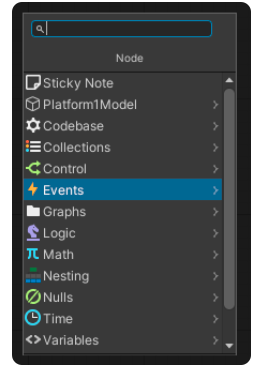
Click on "Edit Graph" in the "Script Machine" and use the right mouse button to open a dropdown menu
-
Click on "Events" and then on the "Reflectis" folder.
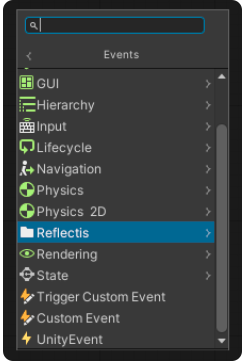
Inside the folder there will be two other folders:
- "Ownership" - which is used to assign ownership to the user who wants to edit a feature of an object
- "Synced object" - to edit a synchronized variable, which is linked to the object in question, and send the update to the server.
