Media Player
Media Player Controller Placeholder + Media Container Placeholder
Script components to attach to a canvas and a child to make it an available big screen.
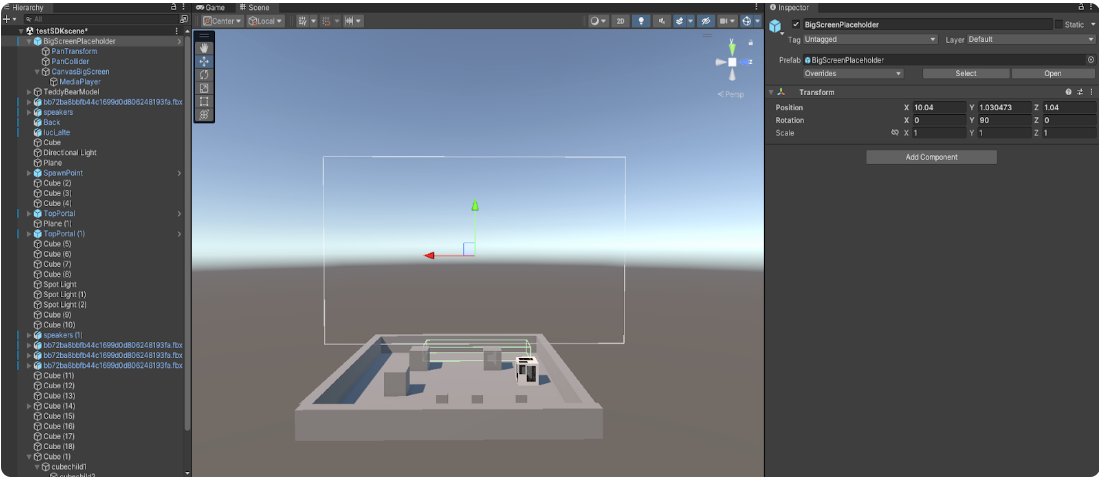
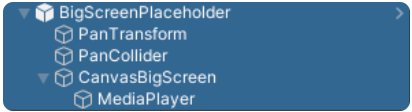
The preferred hierarchy starts with an empty object named "BigScreen" .
The empty object must have a "Canvas" as a child (in world space).
The canvas must have attached the Media Player Controller Placeholder component, that manages the ability of big screens to receive media files from the users and show them.
The component must be structured as follows:
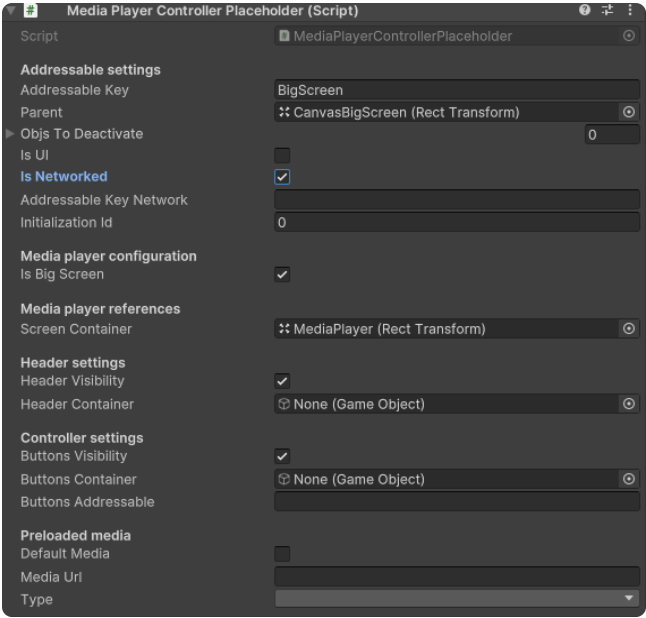
In the "Addressable Key" value write "BigScreen".
Attach an empty child to the canvas and call it "Media Player" (it automatically becomes a rect transform).
Attach to this child the Media Container Placeholder and set it as follows:
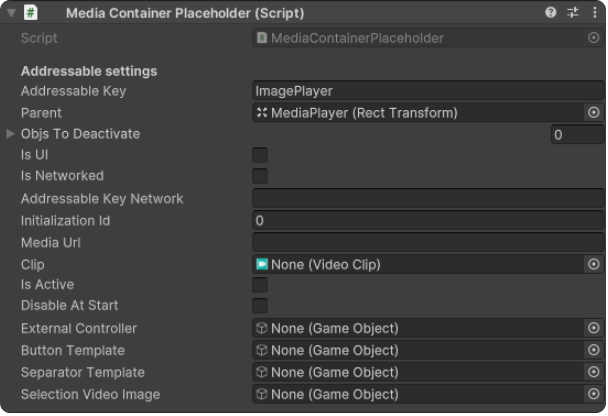
In the "Addressable Key" valute it’s possible to write down 3 options:
- ImagePlayer
- VideoPlayer
- PresentationPlayer
These options will decide which type of files the big screen can manage.
Finally, this layer will become the visible big screen, so is from this layer that it’s possible to manage the size and the position of i t. It’s possible to have all 3 options active at the same time by creating a child for each option.