Task System Installation
warning
The access level to this Package is Private!
If you want to use it, please contact the Reflectis Team to ask for access!
Reflectis-based method
To install the TaskSystem Package in your project, you need to open the Creator Kit Setup Window that you find in the menu Reflectis Worlds > Creator Kit > Setup > Setup project.
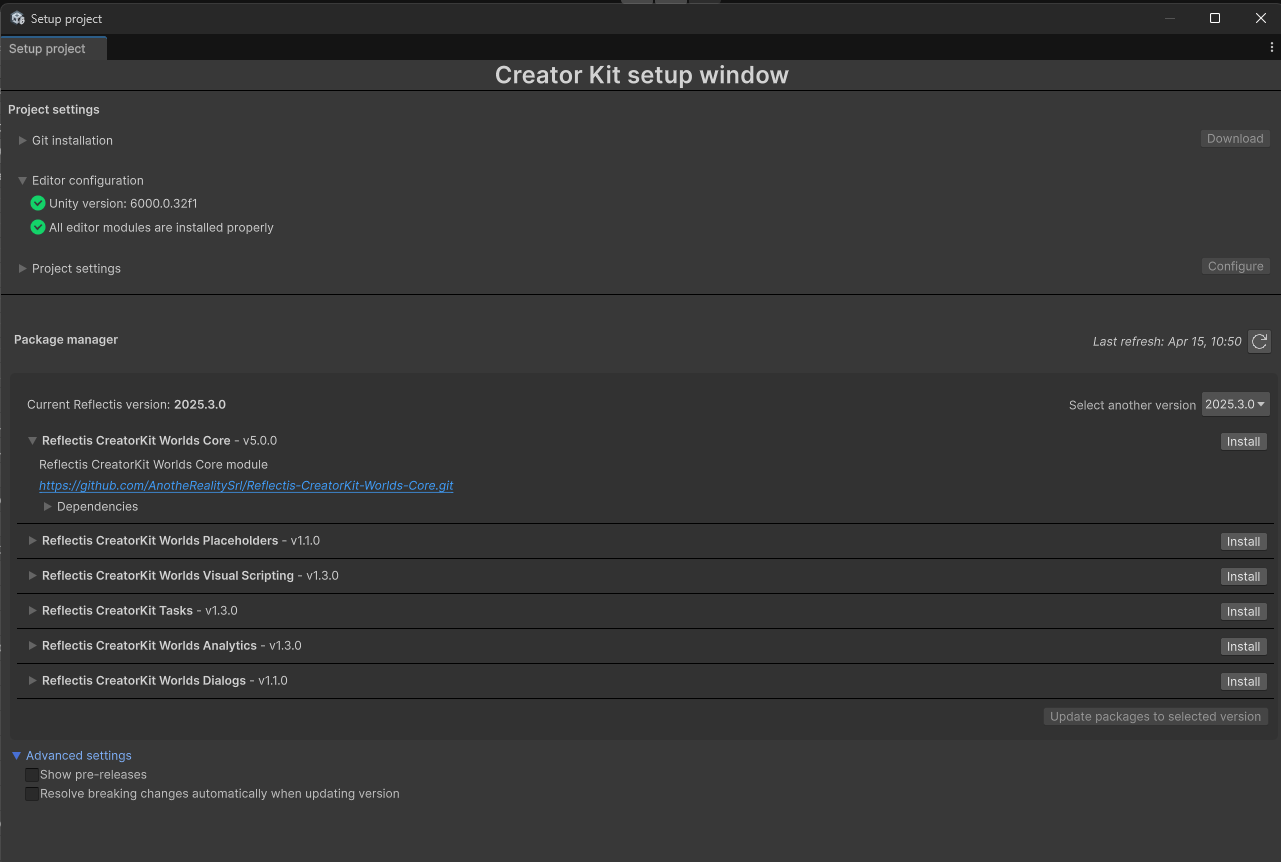
Find the row related to the Package "Reflectis-SDK-Tasks" and click "Install".
Once finished, the Package will be available in your project!
Manual installation
To install the TaskSystem manually, first of all you need to install the packages "Reflectis-SDK-Graphs", "Reflectis-SDK-Tasks" and "Reflectis-CreatorKit-Worlds-Tasks".
Use the link https://github.com/AnotheRealitySrl/Reflectis-TasksImporter.git to install the packages via git URL from the package manager.