Tenant
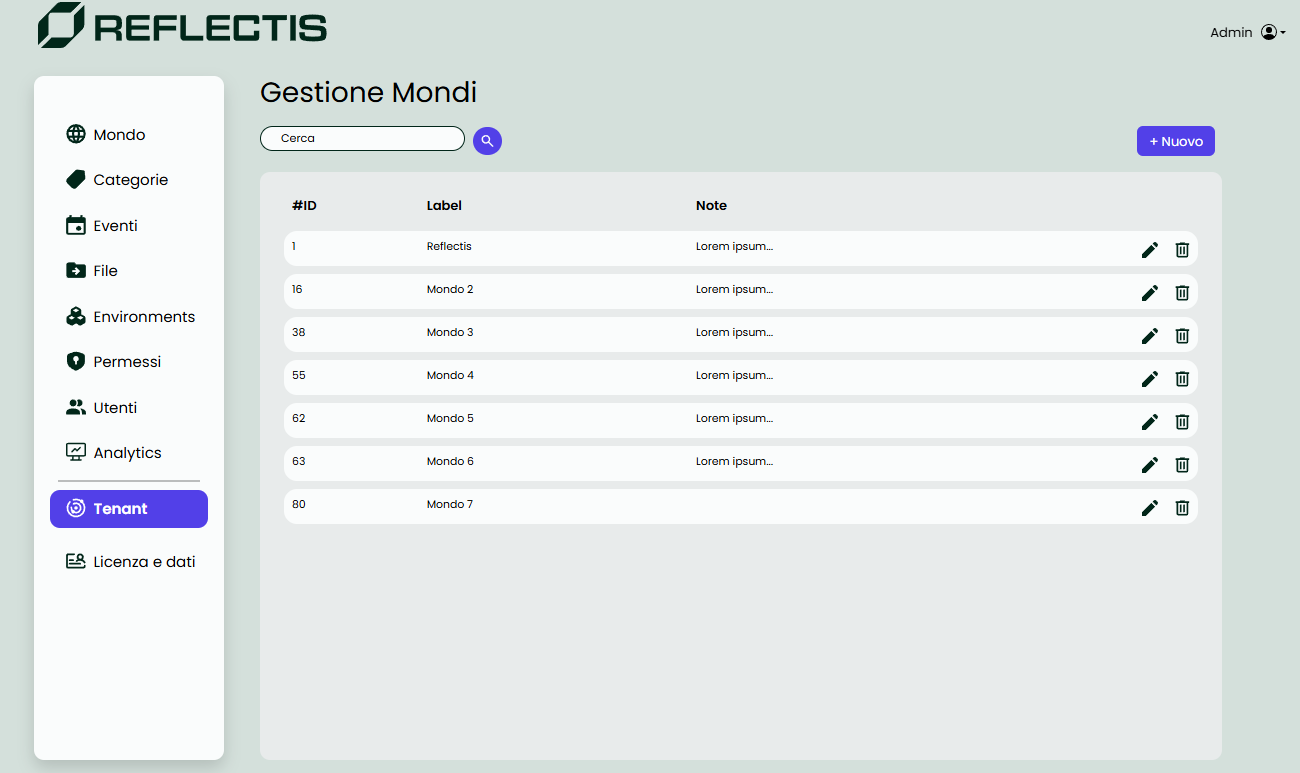
Tenant Management
The Tenant section allows the Tenant Manager to oversee and manage all the worlds within the tenant: create, edit and delete worlds, configure limits and behavior, and manage roles.
World List
The Tenant Manager sees all existing worlds with basic details. From here you can:
- Edit a world (open the 3–tab editor described below).
- Delete a world (irreversible).
Create / Edit a World
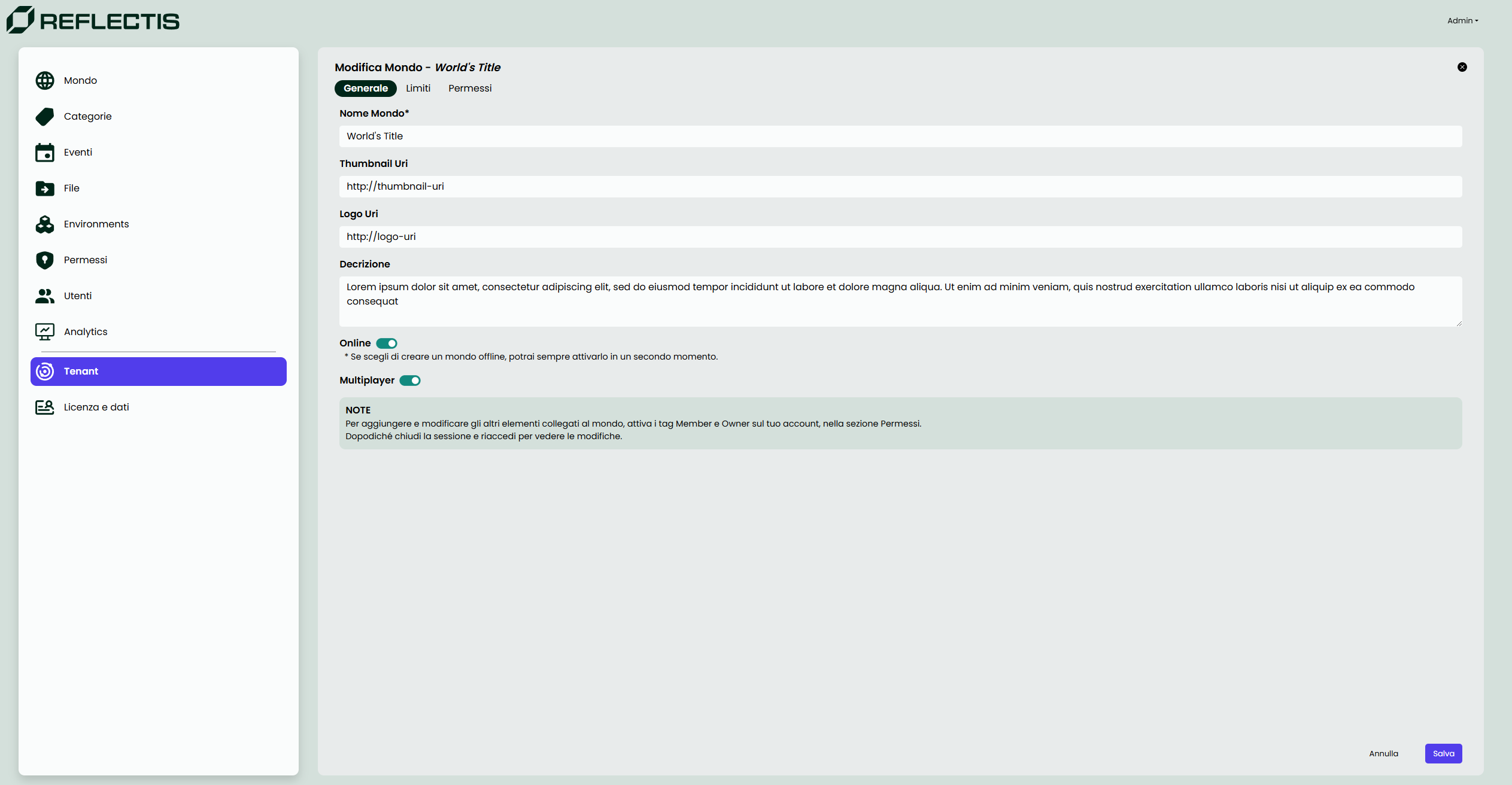
World configuration is split into four tabs: General, Configurations & Limits, Facets, and Permissions.
General
Configure the world’s identity and visibility:
- World name (required)
- Thumbnail URI and Logo URI
- Description
- Online status (toggle)
- Multiplayer on/off
(When on, concurrent users can join the same session.)
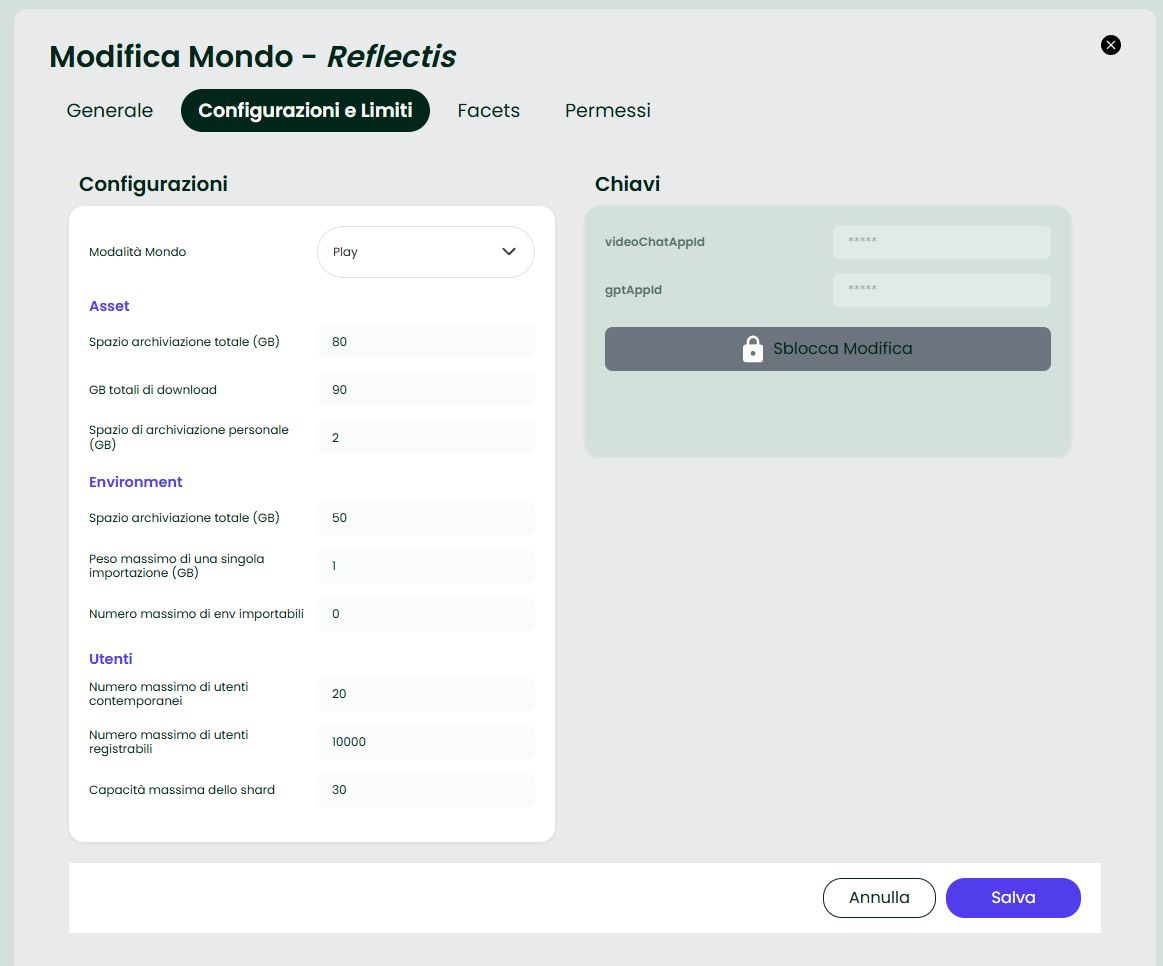
Configurations & Limits
Set operational limits and the world entry mode.
World Mode (NEW)
- Play — the landing exposes a single Play button.
You must set a Default Experience (from Back-Office → Experiences list).
Only Core Experiences can be default; External Apps cannot be selected. - Catalog — users land on the Catalog and can browse Experiences.
Assets
- Total storage (GB)
- Total download (GB)
- Personal storage per user (GB)
Environments
- Total storage (GB)
- Max size of a single import (GB)
- Max number of importable environments
Users
- Max concurrent users
- Max registrable users
- Max shard capacity (users per shard)
Keys
- Integration fields such as
videoChatAppId,gptAppId(locked until Unlock).
Notes
- Switching to Play without a Default Experience prevents entry.
- Changes are applied immediately after Save.
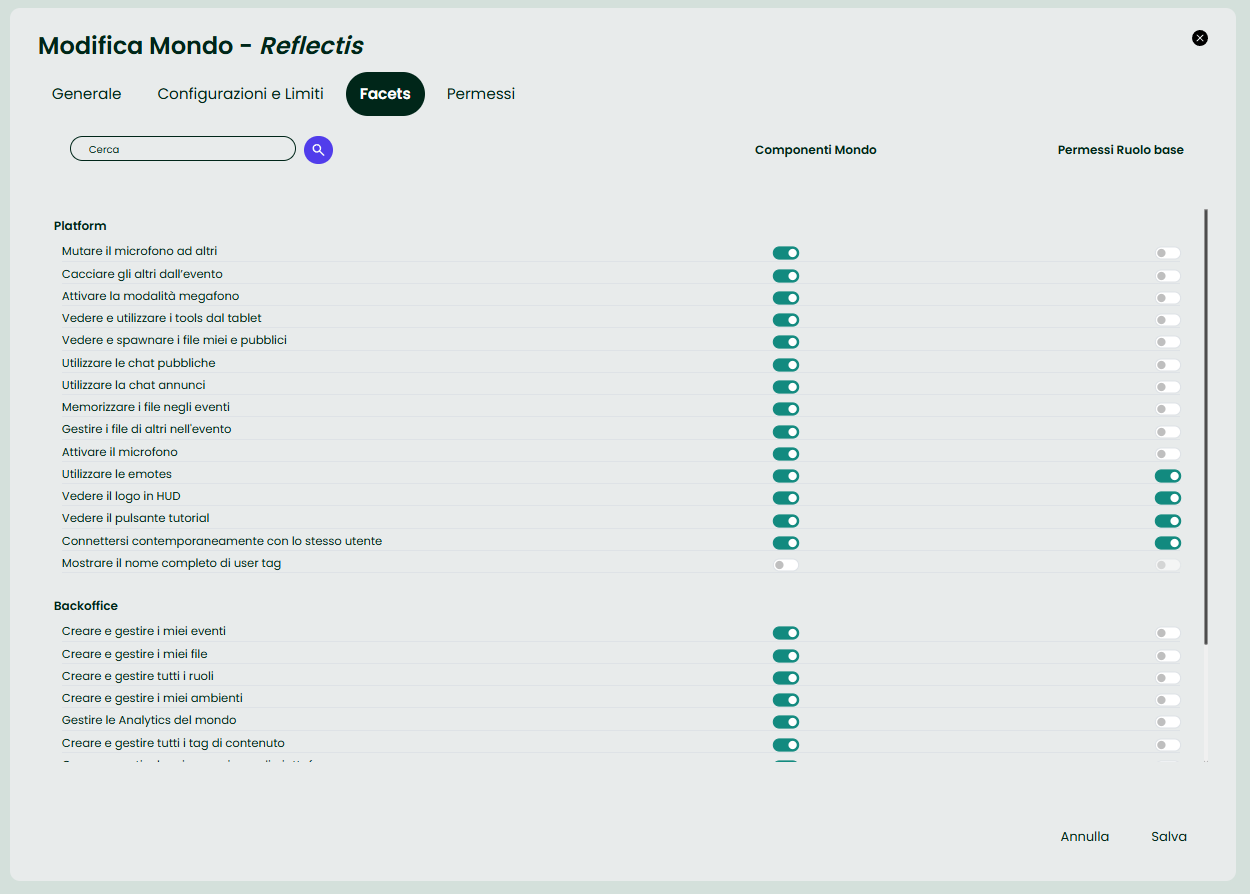
Facets (NEW) — World Permissions Configurator
Use this tab to configure feature availability and the baseline permissions for the world.
What you’ll find
- Search to quickly locate a capability.
- Two columns:
- World Components — toggles that enable/disable platform features (e.g., use tablet tools, spawn files, public chat, microphone, megaphone, emotes, etc.).
Includes Back-Office capabilities (e.g., manage experiences/files/environments/analytics). - Base Role Permissions — the default allowance for the base user role in this world.
- World Components — toggles that enable/disable platform features (e.g., use tablet tools, spawn files, public chat, microphone, megaphone, emotes, etc.).
How it works
- Turning on a component enables that capability for the world.
- The Base Role toggle defines what a standard member can do by default.
- Press Save to apply.
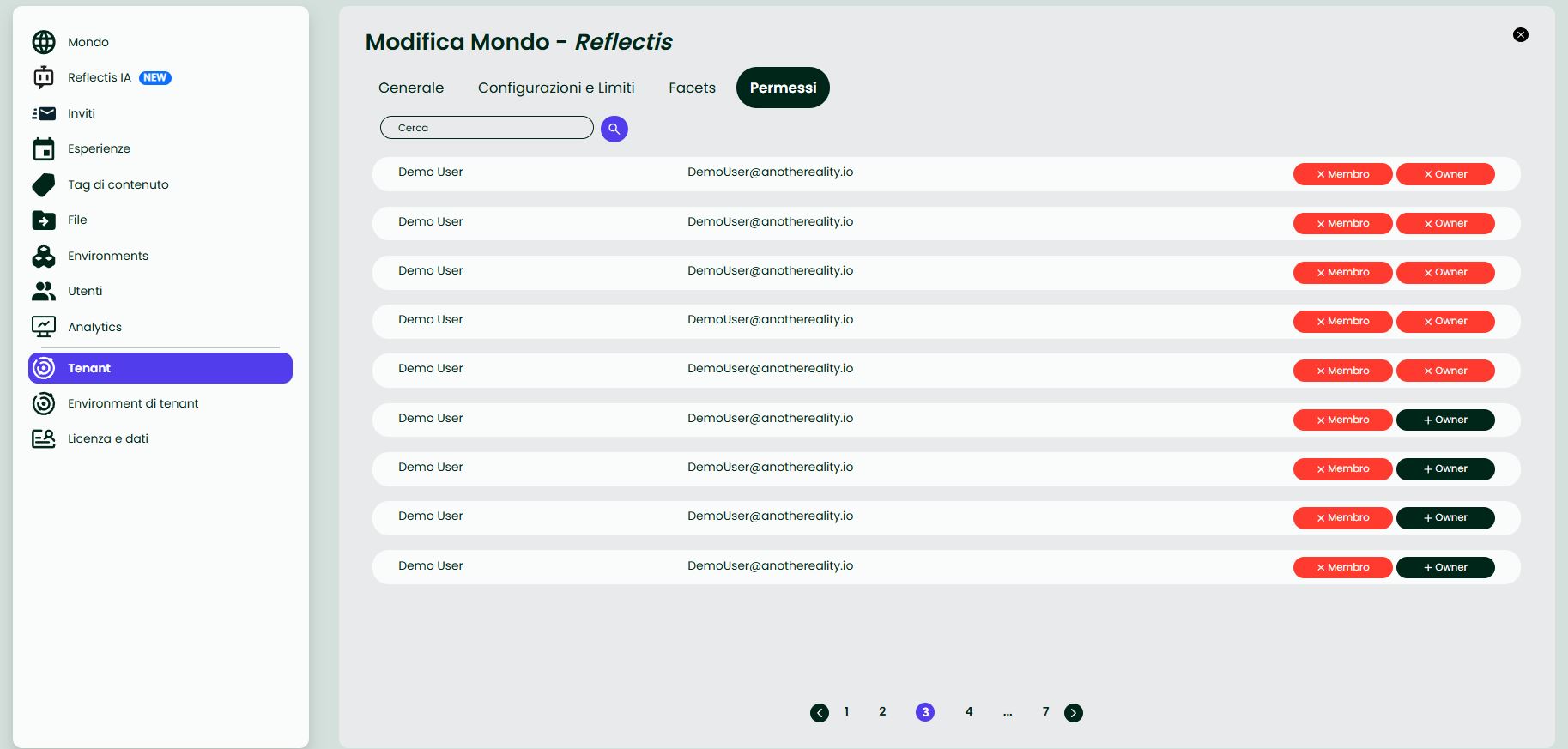
Permissions
Assign world-level roles to tenant users:
- Member — grants access to the world.
- Owner — full management rights inside the world.
The tab provides:
- User search
- Buttons to add/remove roles (
+ Member,+ Owner,× Member,× Owner) - A list with names, emails, and current roles
Note The user list is sorted by role: Owners first, then Members, then all other users.
Summary
From the Tenant section the Tenant Manager can:
- Create, edit, and delete worlds.
- Configure World Mode (Play | Catalog) and resource limits.
- Control features and default permissions via Facets.
- Assign roles to users.
This structure keeps world governance clear and efficient across the tenant.