In-game interface
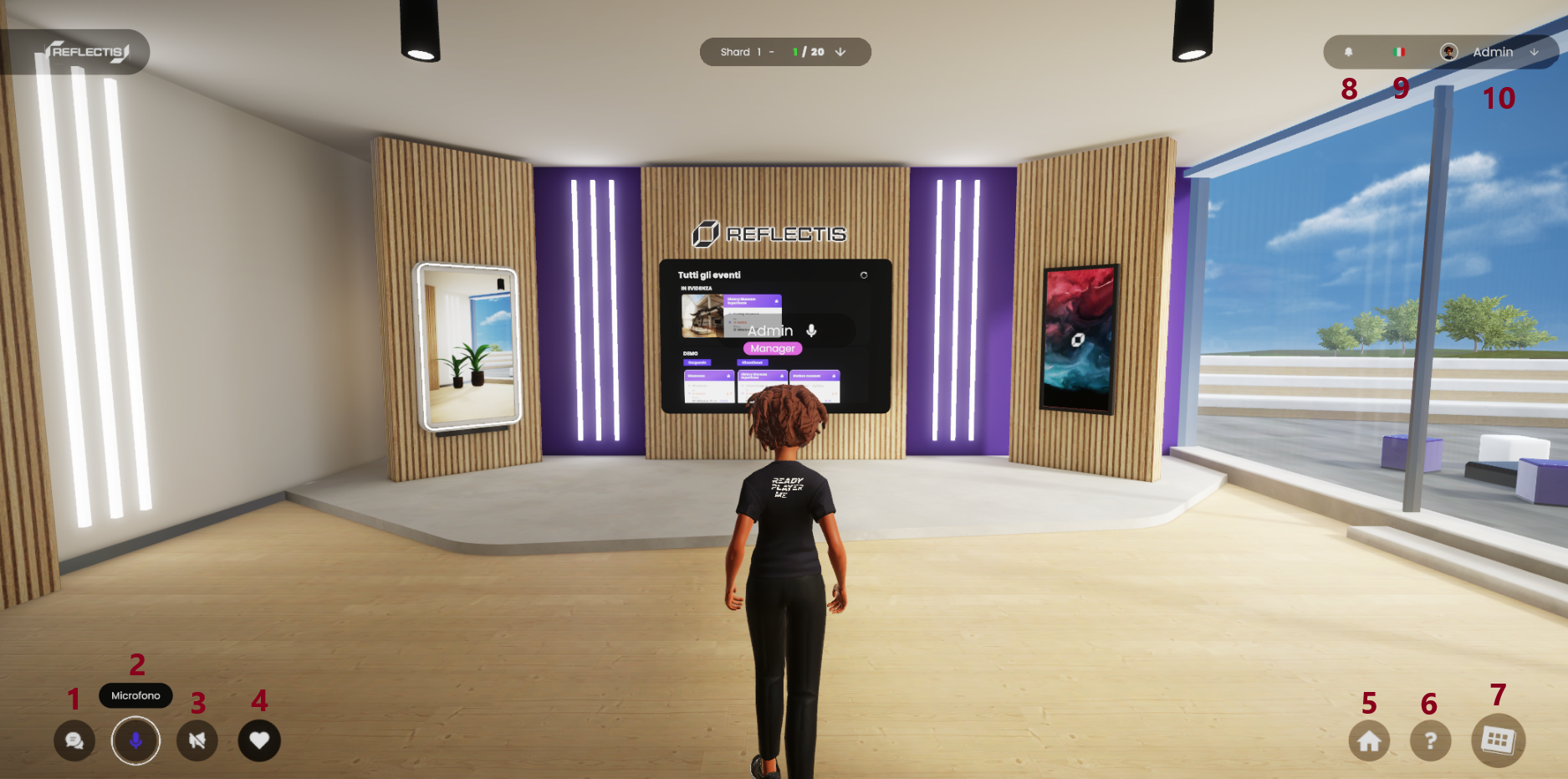
The Reflectis WebGL interface provides several buttons and tools designed to enhance your virtual experience. Below is a detailed explanation of each button and its functionality.
-
Text chats Access the chat to communicate with other participants via text. [Learn more about text chats here].
-
Microphone Mute Allows the microphone to be muted or unmuted as needed.
-
Speaker Function Activates the Speaker mode, granting the ability to communicate with all participants in a session (Note: This requires a role with the appropriate permissions )
-
Animations and Reactions Offers a selection of symbols and animations for non-verbal communication, such as waving or showing reactions.
-
Fast Travel Provides automatic teleportation to the main room or the default access point, facilitating efficient navigation.
-
Tutorial Access Opens the in-game tutorial, providing helpful guidance for new users.
-
Tablet Access Opens the tablet interface, where the user can access tools, manage assets, and perform other actions essetial to the platform.
-
Alerts Displays a list of text notifications, including event invitations, updates, or notifications about removal from an event.
-
Language Selector Enables switching between available languages, such as Italian or English, to adapt the interface.
-
Profile Dropdown Menu Provides options to edit profile settings, log out of the platform, or exit the current session.
These tools are designed to streamline navigation and interaction within the Reflectis virtual environment.