Categories
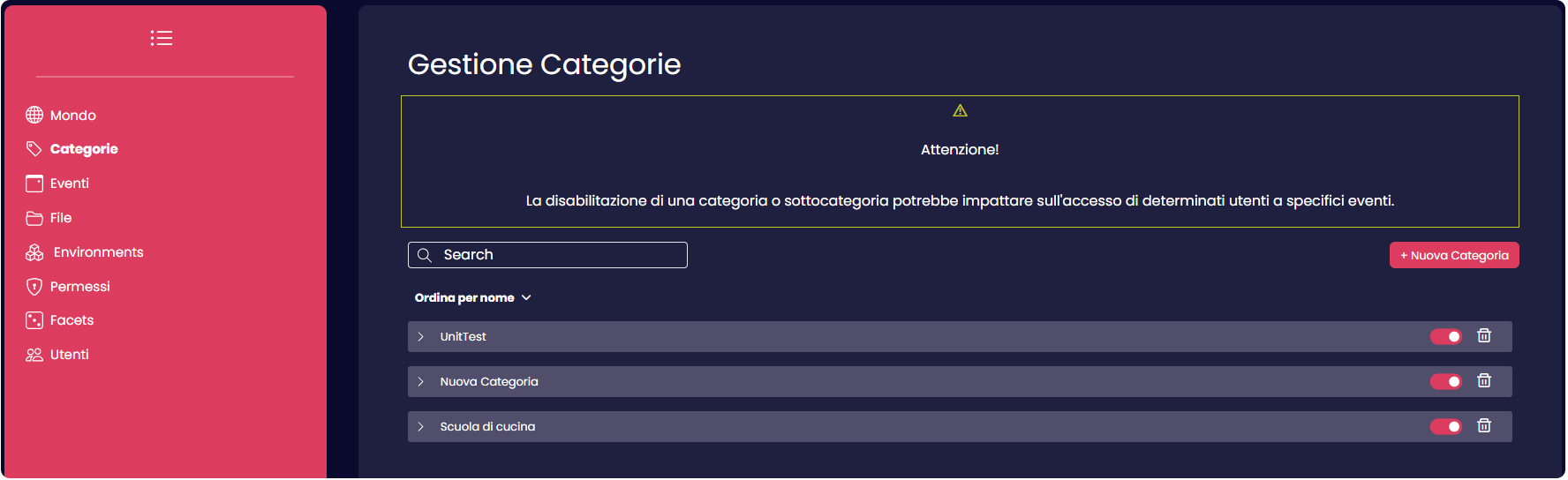
The "Categories" are distinct groups into which an event can be classified. In this section, users have the capability to create these categories, which will subsequently be displayed when selecting a category for new events.
Furthermore, users can organize these categories into subcategories, providing a more refined and intuitive means of managing individual events within recognizable groupings.
Creation
To create a new category, users should click the New Category button, located at the top right corner of the screen.

This action will open a side window, allowing users to create empty categories. Once created, the new category will be listed at the center of the page.
Clicking on the new category will reveal an empty subcategory list. To add a new subcategory, simply press the white "+" button located at the bottom.
If you wish to remove a category or subcategory from the list, you can do so by clicking the "Trash Can" symbol associated with them.